
Clay AI Review 2026: Is Clay Worth It for B2B Sales Teams in the US?
 Rishabh Jain
TL;DR
So, you’ve probably heard the buzz around Clay AI, it’s kind of everywhere in the B2B world right now. If you’ve ever wished your prospecting lists could magically clean themselves, enrich themselves, and update themselves without you juggling five different tools… yeah, Clay is the platform people talk about.
But the real question is:
Is Clay actually worth it for your sales team?
Here’s the quick version before we dive into the full review.
What Clay Is?
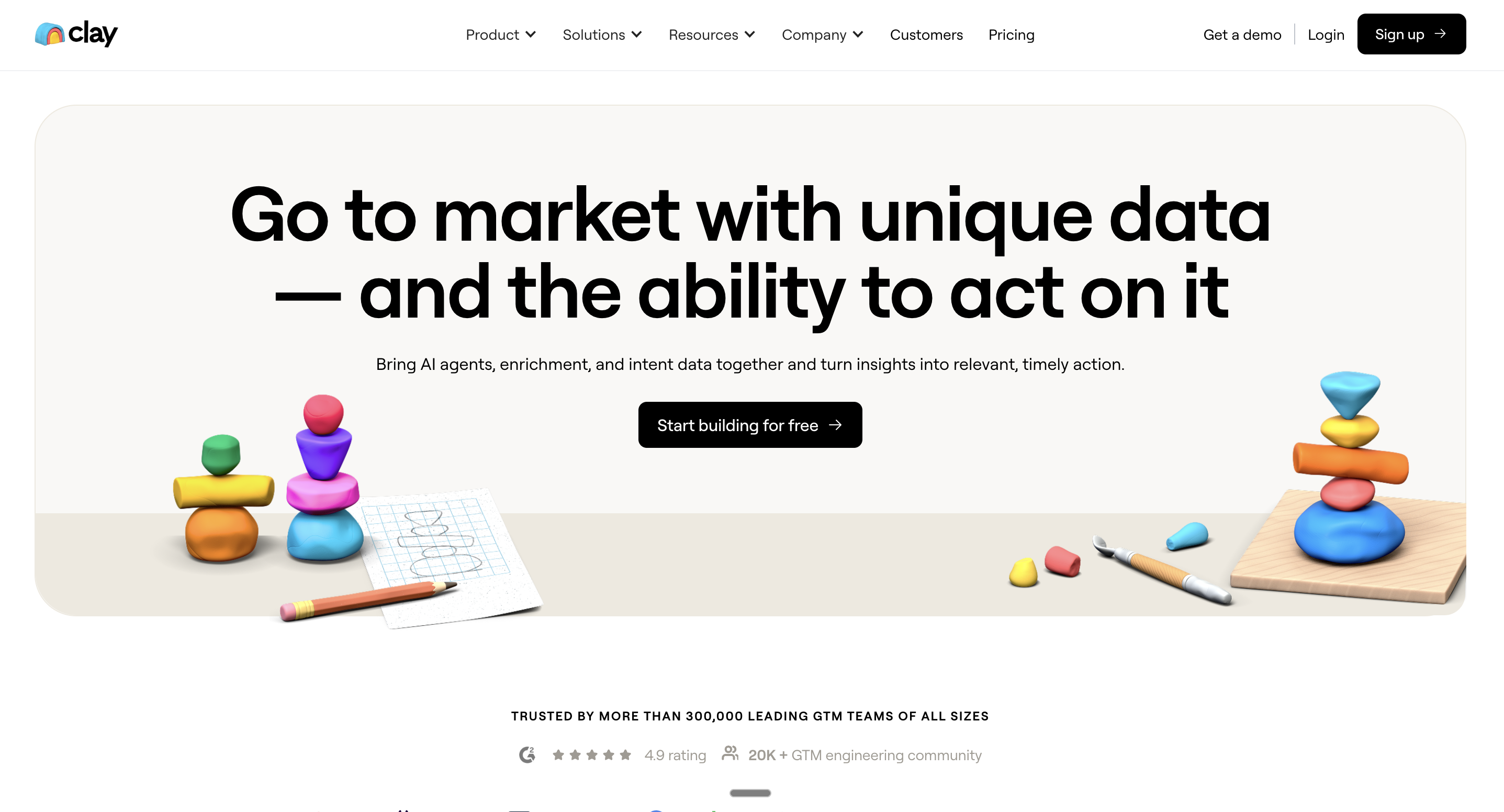
Clay is an AI-driven sales intelligence and enrichment platform that plugs into 100+ data sources, AI research agents, and your existing GTM stack to automate list building, data cleanup, enrichment, and outbound workflows, all in one place.
Where Clay Delivers the Most Value
Clay shines when you’re running large-scale, data-heavy outbound motions. If your team relies on waterfall enrichment, needs dynamic segmentation, or handles millions of CRM records, Clay becomes a major time-saver. Think RevOps magic.
Clay Pricing Snapshot
Clay uses a credit-based model with plans that typically look like:
Free – for light testing
Starter ~ $134/mo
Explorer ~ $314/mo
Pro ~ $720/mo
Enterprise – fully custom
Credits cover enrichment, AI research, scoring, and personalization.
Who Clay Is Best For
Clay is a great fit if you’re part of a:
B2B SaaS / tech startup
Seed → Series C company
Sales-led org with SDRs/BDRs/AEs
Teams sending 10k+ emails/month
Teams running complex outbound experiments
RevOps teams managing messy CRMs and multi-source enrichment
These are the teams that consistently get the best ROI.
Where Clay Struggles
Not everything is perfect. Clay can feel:
Overwhelming at first (steep learning curve)
Expensive if you’re low-volume or don’t monitor credits
Complex compared with “simpler” all-in-one outreach tools
Many users on Reddit mention the same thing: Clay is powerful — but only if you really use it.
How SalesEcho Fits Into the Picture
Here’s the important distinction:
Clay helps you build, enrich, score, and segment your lists.
SalesEcho helps your reps win the deal by coaching them in real time during live calls (before, during, and after Zoom/Meet/Teams).
Clay → powers your outbound engine.
SalesEcho → powers your conversations.
Most high-performing teams end up using both, because one handles the data layer and the other handles the live call performance layer.
Quick Verdict for Your ICP
If your priority is:
Better data, clean CRM, stronger outbound personalization → Clay is 100% worth considering.
If your biggest gap is:
Reps freezing on calls, inconsistent talk tracks, poor objection handling → Clay won’t solve that. You’ll need SalesEcho (or a similar real-time call assistant) alongside it.
Clay AI Review Overview – What Is Clay and Who Is It For?
Before we dive into the deeper analysis, let’s get clear on what Clay actually is, and more importantly, who it’s built for. A lot of teams hear about Clay through LinkedIn, Reddit, or their SDR friends, but don’t fully understand where it fits in the sales stack. So let’s break it down in the simplest, cleanest way possible.
Clay AI Review
Clay is an AI-powered sales intelligence and data enrichment platform designed to help GTM teams build better lists, enrich data from 100+ sources, and automate outbound workflows.
Think of it as your data command center, not your CRM.
Clay as a Sales Intelligence & Enrichment Layer (Not a Traditional CRM)
Here’s where a lot of people get confused.
You’ll see search terms like Clay CRM, Clay CRM review, or even people asking whether Clay can replace HubSpot or Salesforce. Spoiler: it can’t, and it’s not meant to.
Clay sits on top of your CRM, not instead of it.
Also check: Best AI Sales Intelligence Tools
Clay is not a CRM because:
It doesn’t manage deals, pipelines, or forecasts.
It doesn’t replace your database of record.
It doesn’t handle your core sales process like a traditional CRM.
Clay does integrate with your CRM to:
Enrich and clean your existing Salesforce or HubSpot data
Score accounts and leads based on any signal you care about
Push enriched, segmented, high-intent lists into your outbound tools
Trigger automated workflows (like alerts, sequences, and updates)
So when people say “Clay software” or “Clay AI tool,” they’re talking about this enrichment + automation layer that’s meant to supercharge your outbound engine, not replace your CRM.
If anything, Clay is the missing intelligence layer that CRMs never had.
Who Actually Gets Value From Clay
Team / Persona | Why They Use Clay | Core Use Cases | What They Gain |
|---|---|---|---|
RevOps Teams | Automate CRM health & remove spreadsheet work | CRM enrichment, hygiene, waterfall enrichment, TAM sourcing, scoring, routing, data cleanup | Clean CRM, accurate data, automated workflows |
SDRs / BDRs / AEs | Scale outbound and prioritize high-value accounts | List building, intent signals, personalization, sequences, account research | More meetings, higher replies, better call prep |
Growth Marketing | Build hyper-targeted segments & multi-channel campaigns | ABM audiences, lifecycle triggers, intent-based targeting, ad platform sync | Better ROAS, smarter targeting, aligned sales + marketing |
How This Maps to Your ICP (Perfect Fit)
Clay aligns perfectly with the types of companies you serve:
B2B SaaS companies
Tech startups in Seed → Series C stages
Sales-led organizations with predictable outbound motion
Teams with 5–100 reps (SDRs, BDRs, AEs, and AMs)
US-based GTM teams running Zoom/Meet demos and heavy outbound
Revenue orgs that care about clean data, intent signals, and scale
These are the exact teams that Clay empowers, and the exact teams most likely to pair Clay with a real-time AI call assistant like SalesEcho to complete the full GTM pipeline.
Key Features & Capabilities, Deep Dive Clay AI Review
Now that you know what Clay is and who it’s built for, let’s get into the part everyone cares about most, the actual features. Clay has a huge product surface area, but these core modules are the reason it’s become a favorite among RevOps, SDR teams, and GTM leaders.
I’ll walk you through each feature in simple terms, show real examples for B2B SaaS teams, and help you understand where the real value comes from.
Claygent – AI Research Agent for Companies & People
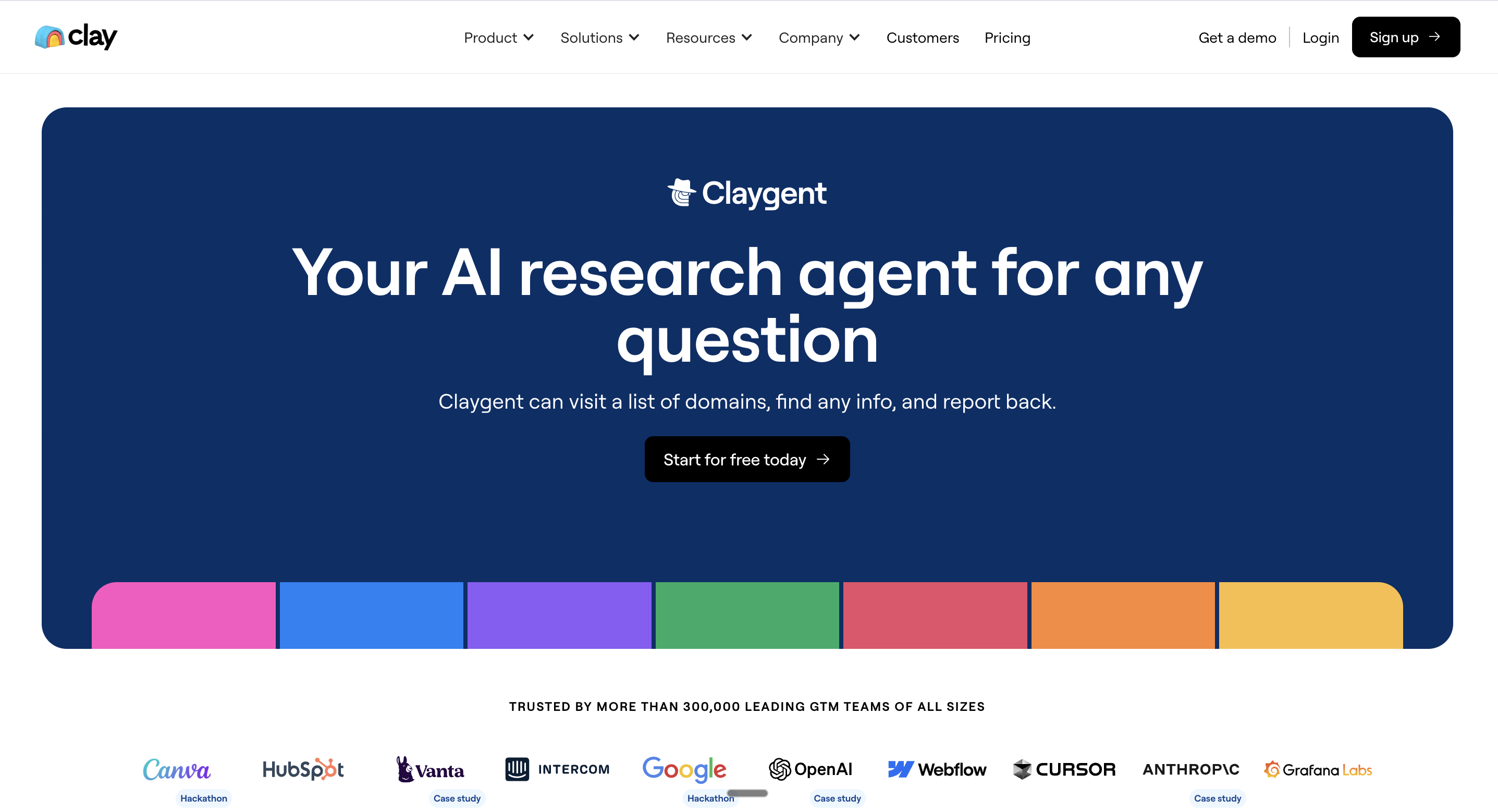
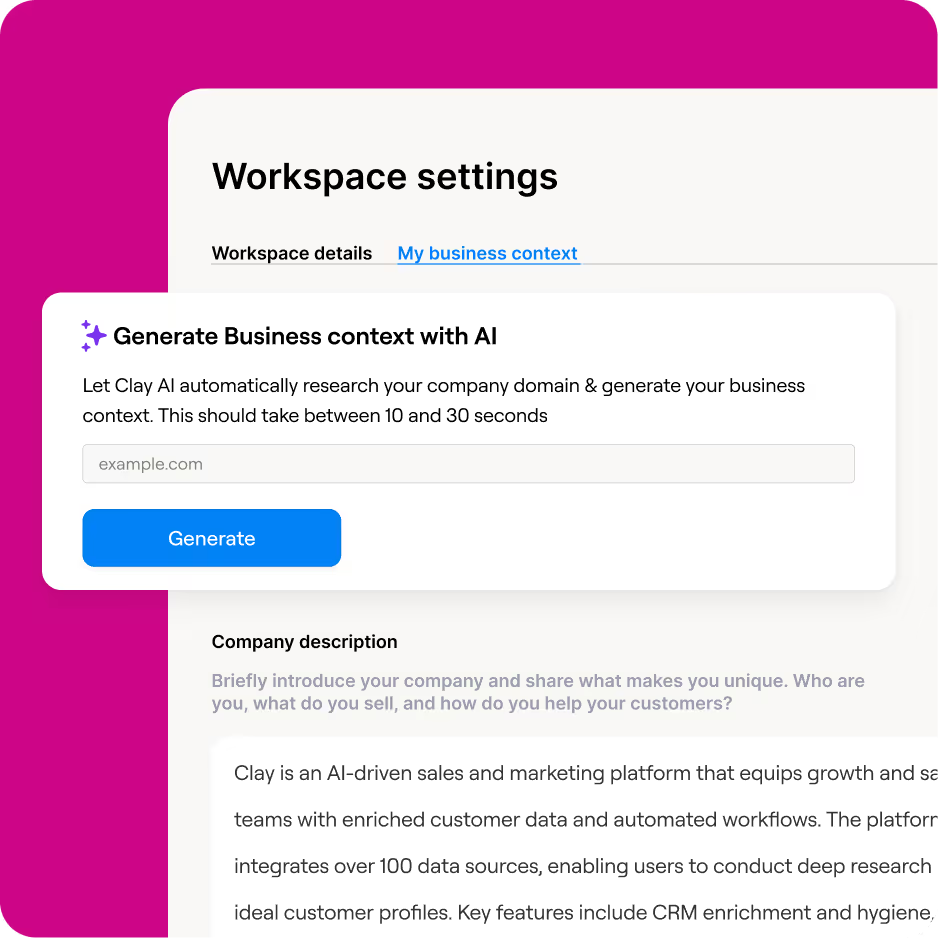
Claygent is one of Clay’s flagship features, and honestly, it’s where a lot of the platform’s “wow factor” comes from. Think of it as a supercharged research assistant that does the same work an SDR, VA, or RevOps analyst would normally do manually… except Claygent does it faster, deeper, and with way more consistency.
But to really understand Claygent, you have to look at what Clay themselves highlight. And it’s a lot more advanced than just “scrape a website and give me the tech stack.”
What Claygent Actually Does (According to Clay’s Own Product Description)
1. Finds your competitive edge through unique data & custom plays
Most teams target accounts based on the same old filters, industry, headcount, job title.
Claygent breaks you out of that sameness by letting you uncover unique signals and custom insights that other teams simply aren’t using.
So instead of chasing the same prospects at the same time as your competitors, you finally get differentiated data that gives your outbound a real edge.
2. Build prompts, test versions, and iterate without spending credits
Inside the Claygent Builder, you can:
Write prompts
Connect your existing data
Test different outputs
Compare versions instantly
Iterate without burning credits
This is huge.
Because most tools punish you every time you want to “try something new.”
Clay actually encourages experimentation, and they make it free.
It’s perfect for RevOps, SDR managers, or founders who want to refine a message or research workflow before going live.
3. Connect Claygent to first-party data (your own internal assets)
This is where Claygent really becomes a strategic tool.
You can plug Claygent directly into:
Gong transcripts
Salesforce opportunities
Google Docs with messaging frameworks, tone guidelines, objection responses, etc.
Why does this matter?
Because Claygent can write outbound emails, summarize opportunities, surface talk-tracks, and analyze accounts in the exact voice and style that your team already uses.
This is something basic web scrapers or GPT scripts simply cannot do.
4. Take human-like actions to scrape public data (“Navigator”)
This piece is extremely underrated.
Navigator — part of Claygent’s engine — can behave like a real person browsing the web. It can:
Click buttons
Apply filters
Fill out forms
Navigate paginated pages
Explore dropdowns
Extract structured data from complex UI elements
Scrape sites that intentionally make data hard to access
This is a massive advantage because most data providers only read static pages.
Claygent can interact with the page.
That means Clay can collect data from niche sites, directories, marketplaces, or search portals that other AI or scraping tools simply can’t handle.
What Claygent Does in the B2B SaaS / Outbound Context
If you’re prospecting in US B2B SaaS (like most GTM teams today), Claygent can automatically research:
Whether a company is B2B or B2C
SOC 2 / ISO / GDPR compliance
Their entire tech stack
Funding rounds, investors, headcount changes
ICP fit for your startup (based on prompts you define)
Pain points pulled from blogs, career pages, product pages
Job listings to infer growth or priorities
Which segment they belong to (vertical, maturity, persona)
Whether they resemble companies in your best case studies
Whether they match your integration ecosystem
And because it integrates with first-party data, Claygent can:
Tailor messaging based on your Gong call transcripts
Customize tones using your internal Google Docs
Check Salesforce fields before writing outreach
Draft emails that follow your actual sales scripts
This is where Claygent becomes significantly more powerful than generic GPT-based enrichment tools.
Claygent vs Custom OpenAI Scripts (The Big Difference)
Yes — you could try to recreate some of this with:
Selenium
BeautifulSoup
GPT-4o
Python scraping
Zapier automations
But Claygent beats that stack because it’s:
More reliable
Faster
Fully integrated into your tables
Enterprise-secure
Able to interact with dynamic websites
Connected to 100+ enrichment providers
Connected to your internal systems
Version-controlled (no more “who edited the script?”)
It’s a complete AI research system — not a script library.
Real Example of Claygent in Action (For Your ICP)
Here’s what a US-based B2B SaaS team might ask Claygent:
“Find high-growth Series B SaaS companies hiring SDRs, confirm they’re using HubSpot, check their security certifications, identify their sales team size, and write a personalized opening line based on their latest blog post.”
Claygent will:
✔ Navigate the company site
✔ Detect tech stack
✔ Check SOC 2
✔ Scan job posts
✔ Pull funding info
✔ Summarize content
✔ Draft personalized copy
✔ Push everything into your outbound workflow or CRM
In one step.
No scraping scripts, no VAs, no manual checking.
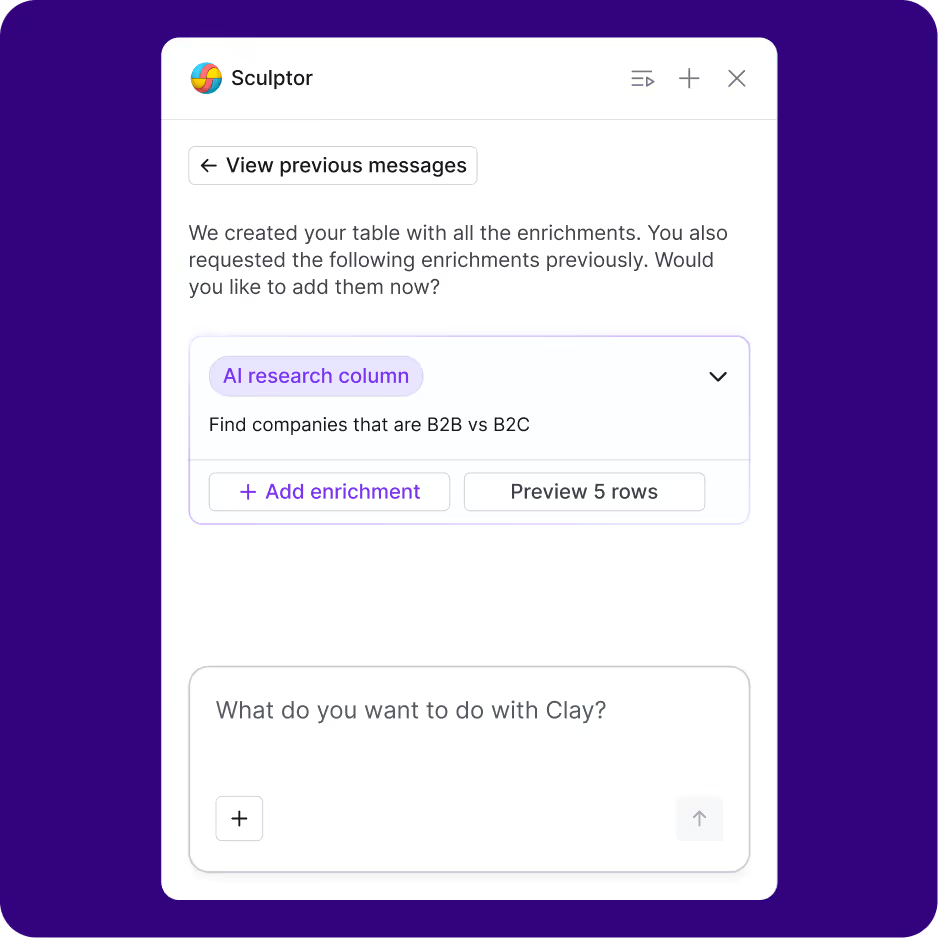
Sculptor – Build GTM Workflows With Natural Language
If Claygent is the “research brain,” then Sculptor is the “workflow builder.”
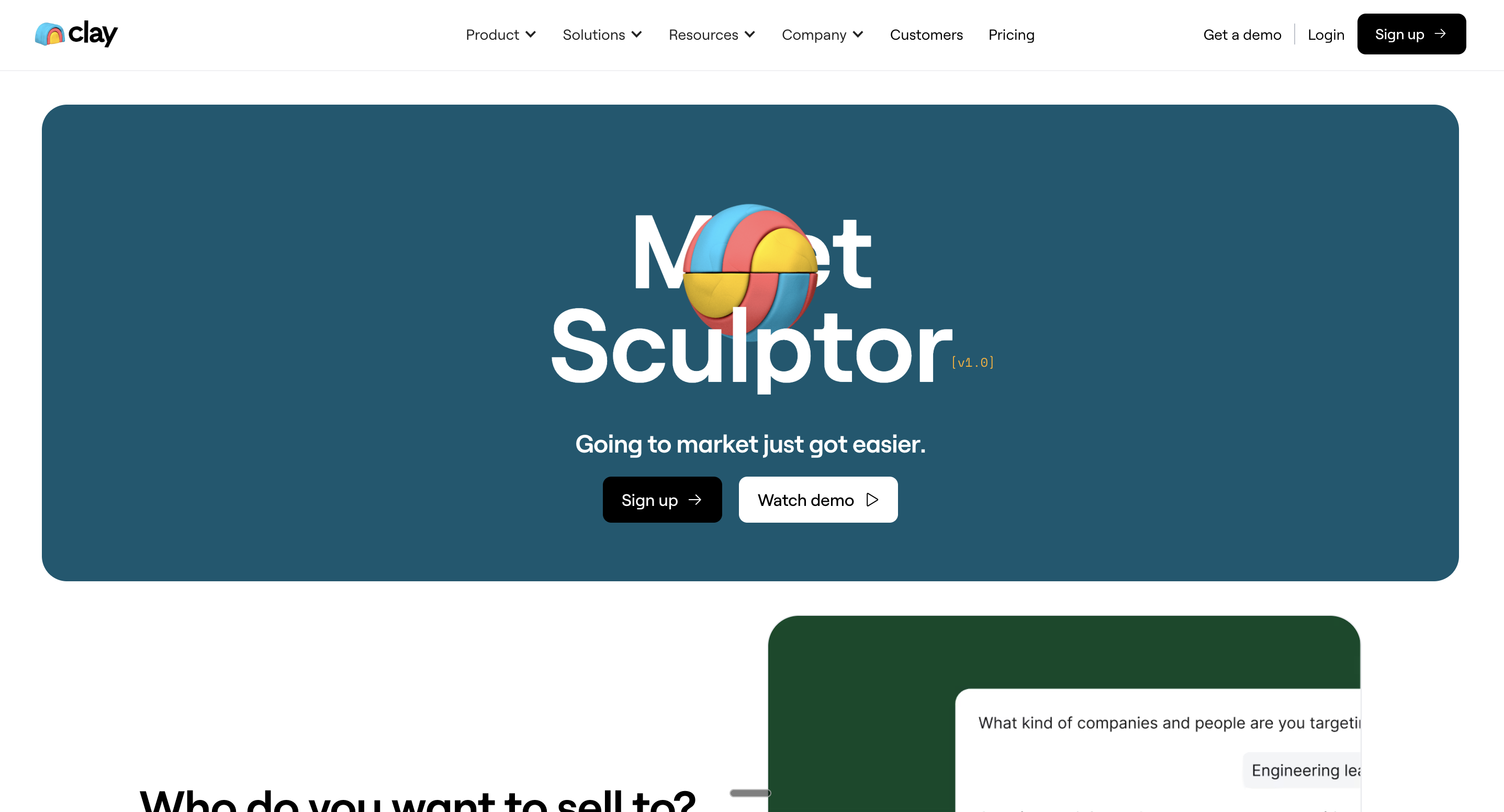
What Sculptor Does
Sculptor lets you create full GTM workflows using natural language prompts. It can:
Build Clay tables
Create filters
Chain enrichment steps

Assign triggers
Set up automations
Build multi-step sequences
Add lookup formulas or data transformations
It’s like asking ChatGPT to “build my outbound engine,” but inside Clay — and directly connected to your live data.
Example Prompt You Could Use
You could literally type:
“Find all VP Sales at Series B SaaS companies in the US. Enrich them with direct dials, job changes, tech stack, and firmographics. Then sync qualified leads to HubSpot and tag them for our outbound SDR team.”
Sculptor will:
✔ Build the Clay run
✔ Set up enrichment
✔ Add filters
✔ Create workflow steps
✔ Connect to HubSpot
This is why people say Clay feels like “programmable outbound.”
Why Sculptor Matters
It reinforces Clay’s position as a full GTM data layer, not just a prospecting tool. It allows teams to scale sophisticated workflows that normally require ops engineers or custom scripts.
Also Check: What is Sales Prospecting?
Signals – Real-Time Intent Data Tracking
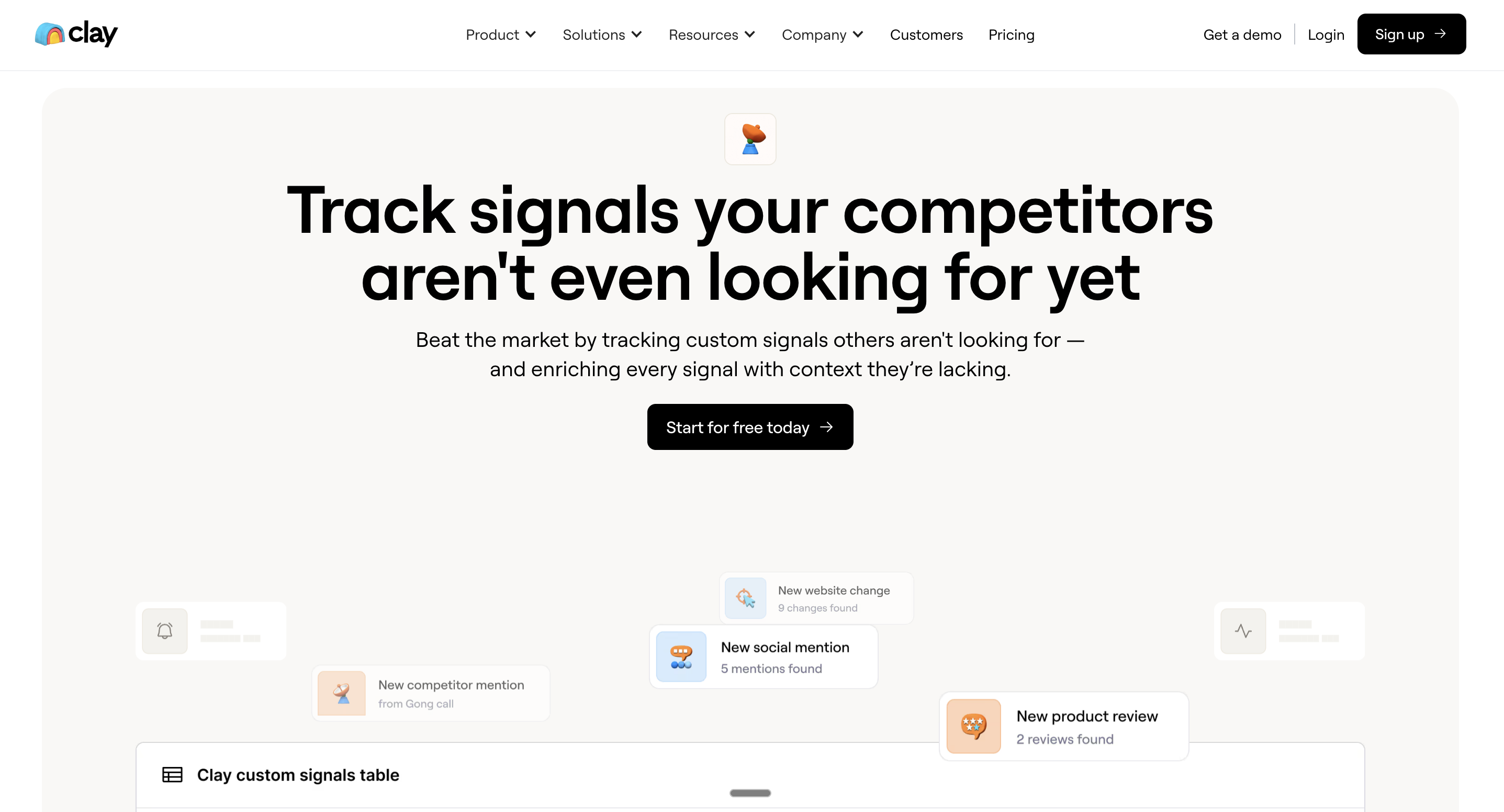
Signals is Clay’s answer to intent data — but unlike traditional vendors, it actually works across multiple channels and updates constantly.
What Signals Tracks
Signals can detect:
Job changes (new roles, promotions)
New hires in key departments
Company news
Social posts
Website changes
Tech stack changes
Funding announcements
Team expansions or layoffs
It’s like having a 24/7 “watchtower” for your ICP.
How B2B Teams Use Signals in the US Market
This is where the magic happens. Imagine you’re targeting VP Sales roles.
When Clay detects: “New VP Sales hired at Company X”
You can instantly:
Enrich the whole buying committee
Score the account
Auto-create an outbound list
Push the segment into SalesEcho for pre-call coaching
Trigger a personalized email sequence
Signal → Workflow → Outreach → Live call → Follow-up → CRM update
All automated.
Signals is often what turns Clay from “nice to have” into a “must-have.”
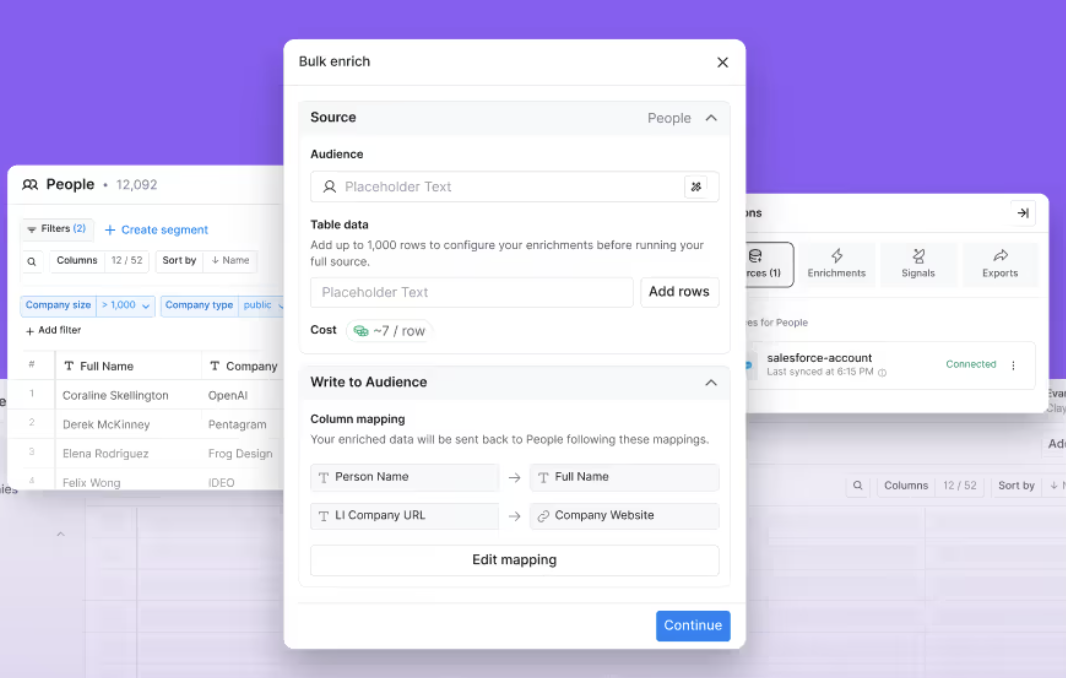
Audiences – Combining Enrichment, Signals, and CRM Data
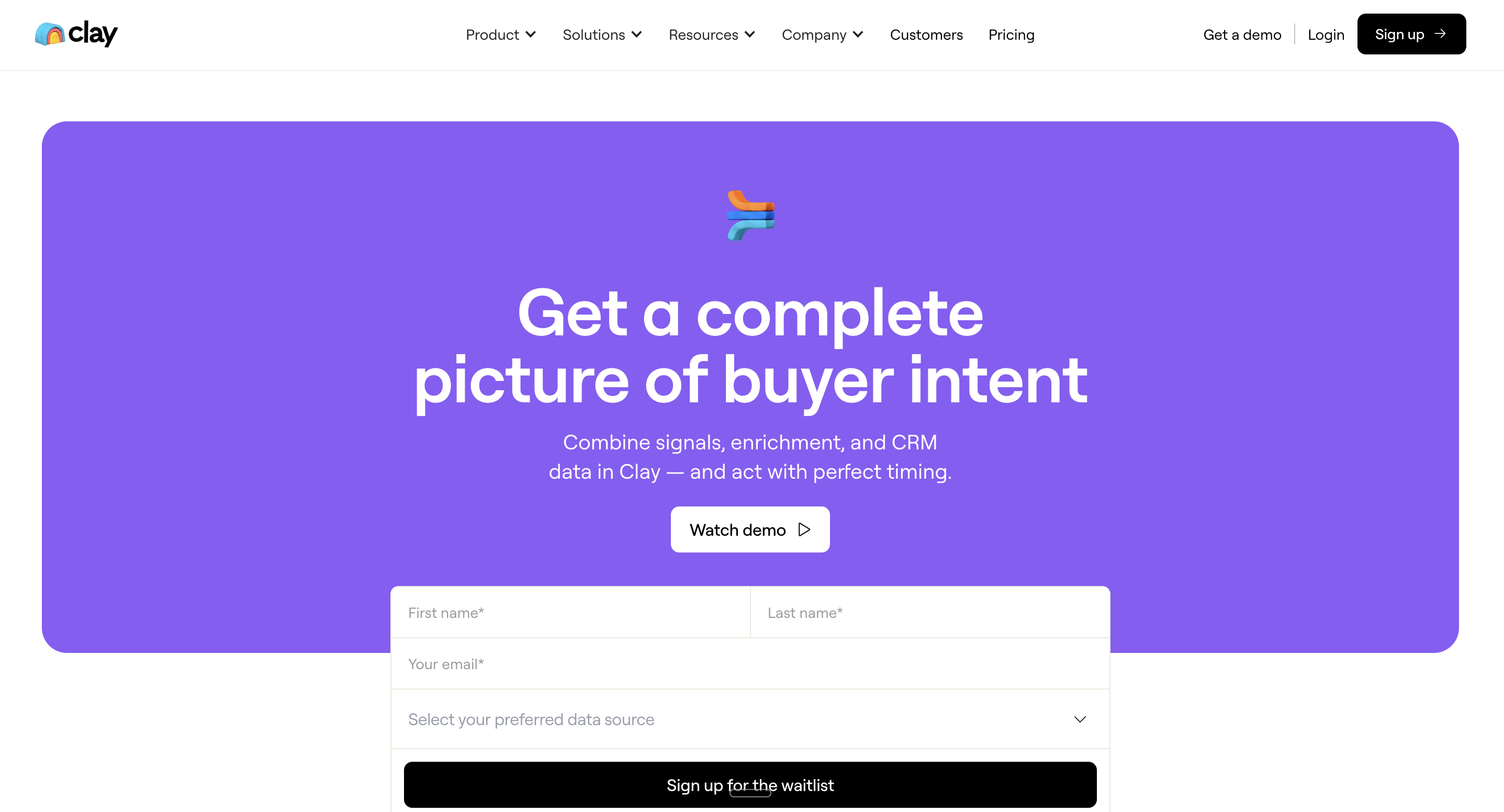
Audiences is one of Clay’s most strategic features — and one that’s often misunderstood.
What Audiences Does
It lets you create dynamic high-intent segments based on:
Clay enrichment
Signals
CRM data
Web behavior
Job changes
Firmographics
Past engagement
ICP scoring
Think ABM lists, but smarter and always up-to-date.
Why This Matters for Outbound GTM Teams
If you’ve ever tried building:
ICP Tier 1, 2, 3 lists
Territory-based book assignments
Vertical-specific segments
Buying committee lists
ABM campaigns
…you know how painful manual list upkeep can be.
Audiences fixes that by updating segments continuously as data changes.
This is the “Clay lead generation” engine most companies come for.
Sequencer – Automated, Personalized Email Outreach
Clay’s Sequencer feature surprises a lot of users because Clay is traditionally thought of as enrichment-only.
But Sequencer brings a powerful outbound layer.
What Sequencer Offers
Multi-step automated sequences
Personalized email copy generation
Timing & trigger controls
Branching logic
Dynamic fields using enrichment
Ability to sync with other sending tools
You can now automate outreach directly from Clay, combining enriched data with AI writing.
Important Clarification
Clay is not trying to replace sending tools like SmartLead, Instantly, or Outreach.
Instead, Sequencer covers:
Early-stage outbound
Trigger-based outreach
Small experiments
Personalized micro-campaigns
Clay handles personalization exceptionally well because it pulls context from Signals, Claygent, and enrichment to write highly tailored messages.
This level of personalization is the reason tools like Salesforge and others praise Clay’s outbound capabilities.
Integrations & Recurring Workflows – Making Clay the GTM Hub
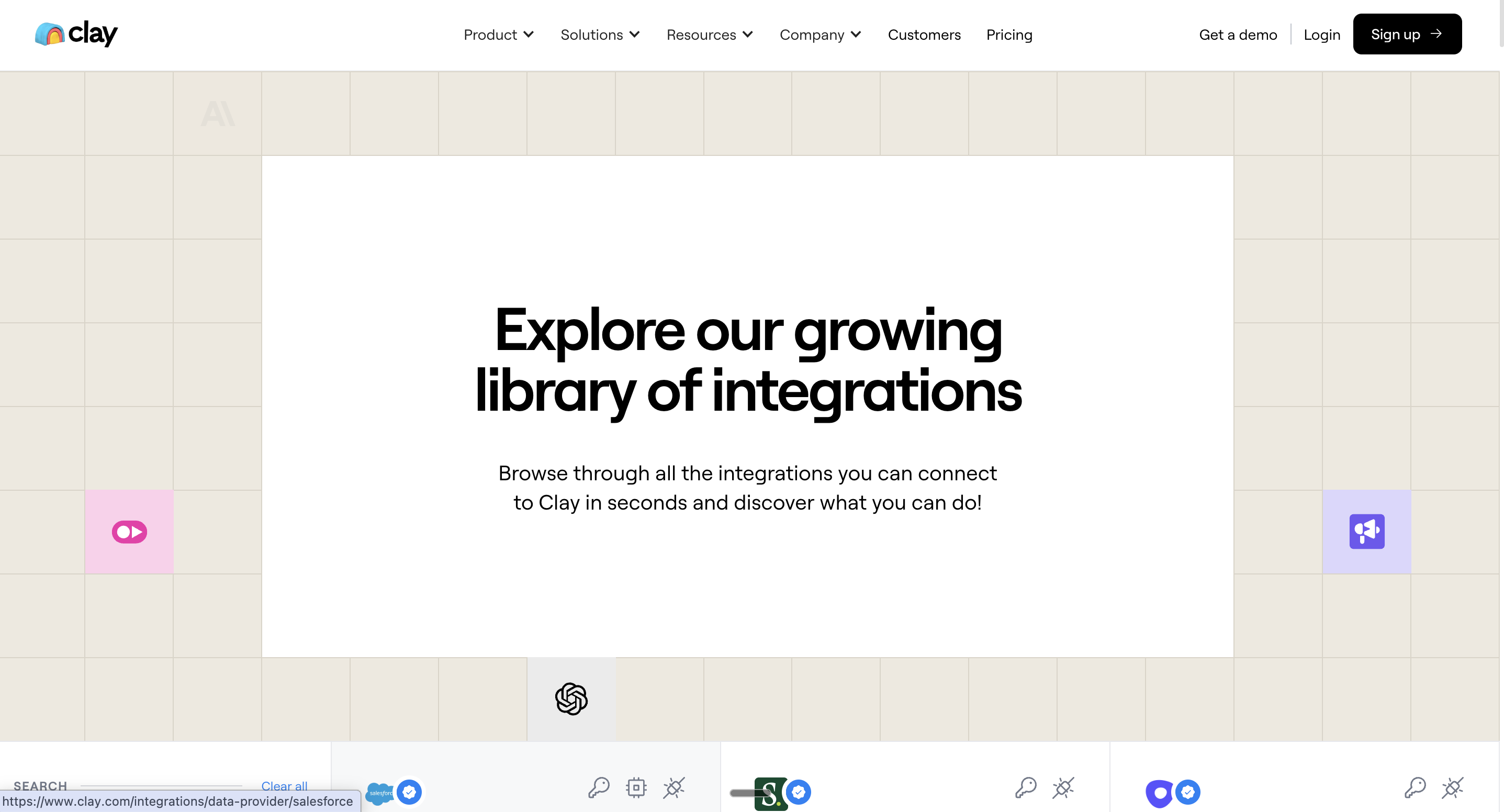
Clay really becomes powerful once you integrate it with your stack.
Integrations (150+ Providers)
Clay connects to:
Salesforce
HubSpot
SmartLead / Instantly / Outreach
LinkedIn data providers
Clearbit, Apollo, ZoomInfo
Ad platforms (Meta, Google)
Data warehouses
Slack
Webhooks
And dozens more.
Recurring Workflows You Can Automate
Clay enables fully automated daily/weekly recurring jobs like:
CRM enrichment & hygiene
Waterfall enrichment (Clearbit → Apollo → ZoomInfo → Claygent)
Lead scoring & routing
TAM sourcing & segmentation
New hire and job-change alerts
Automated inbound qualification
Automated outbound triggers
Why Waterfall Enrichment Matters
Waterfall enrichment is the ability to enrich a lead using multiple data providers in sequence:
Try Clearbit
If missing fields → try Apollo
If still missing → use Claygent
Push results to CRM
Update sequences
This is huge because no single data provider gives 100% coverage.
Clay stitches everything together.
Additional Clay Features – Clay AI Formula Generator, Salesforce Package & Security
Clay has a few extra capabilities that deserve a quick spotlight:
Clay AI Formula Generator
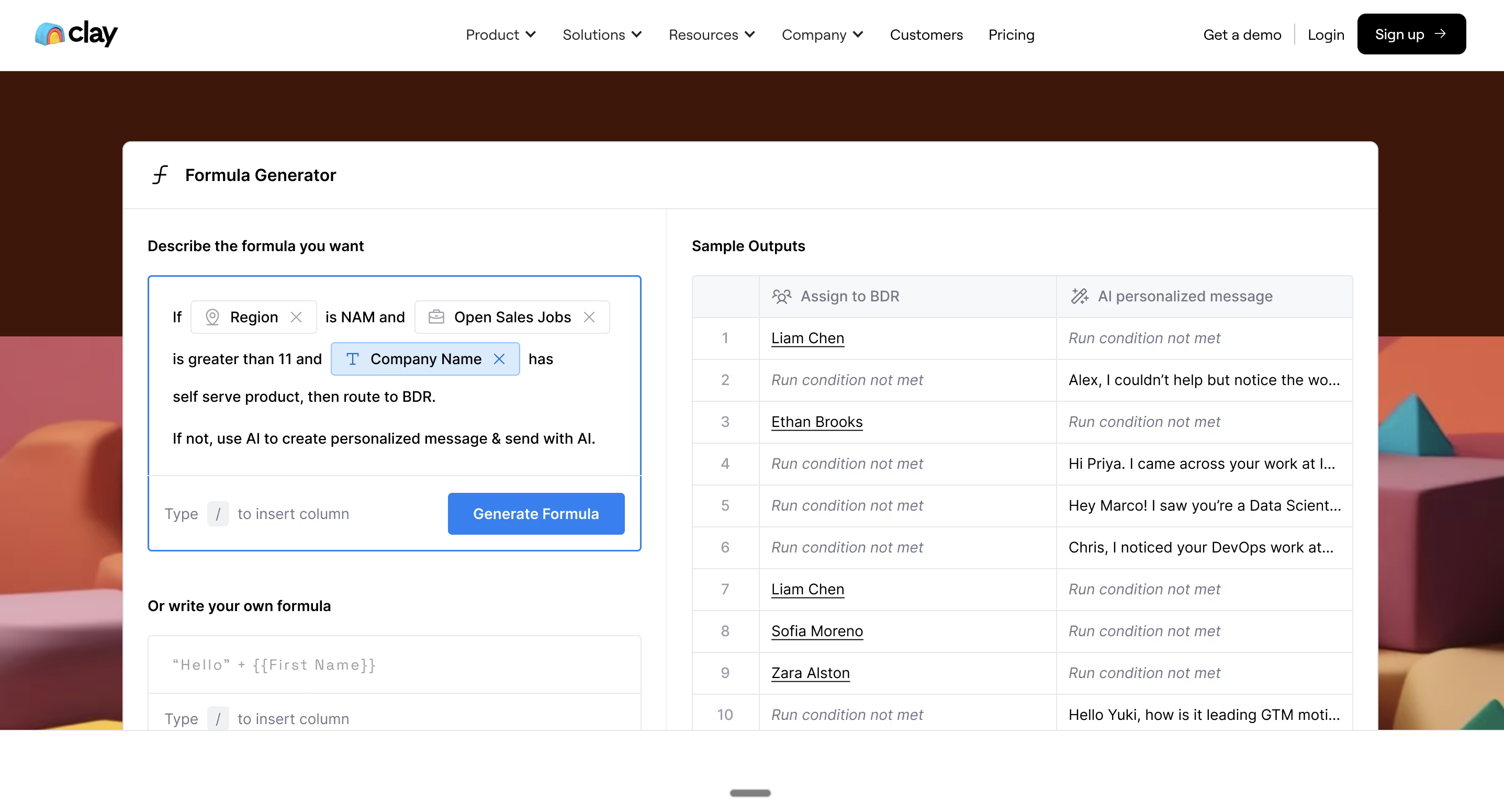
This tool lets you:
Clean messy data
Format job titles
Normalize values
Transform fields
Generate new data columns
Parse text or HTML
Fix duplicates
Without needing to write SQL, Python, or Excel formulas.
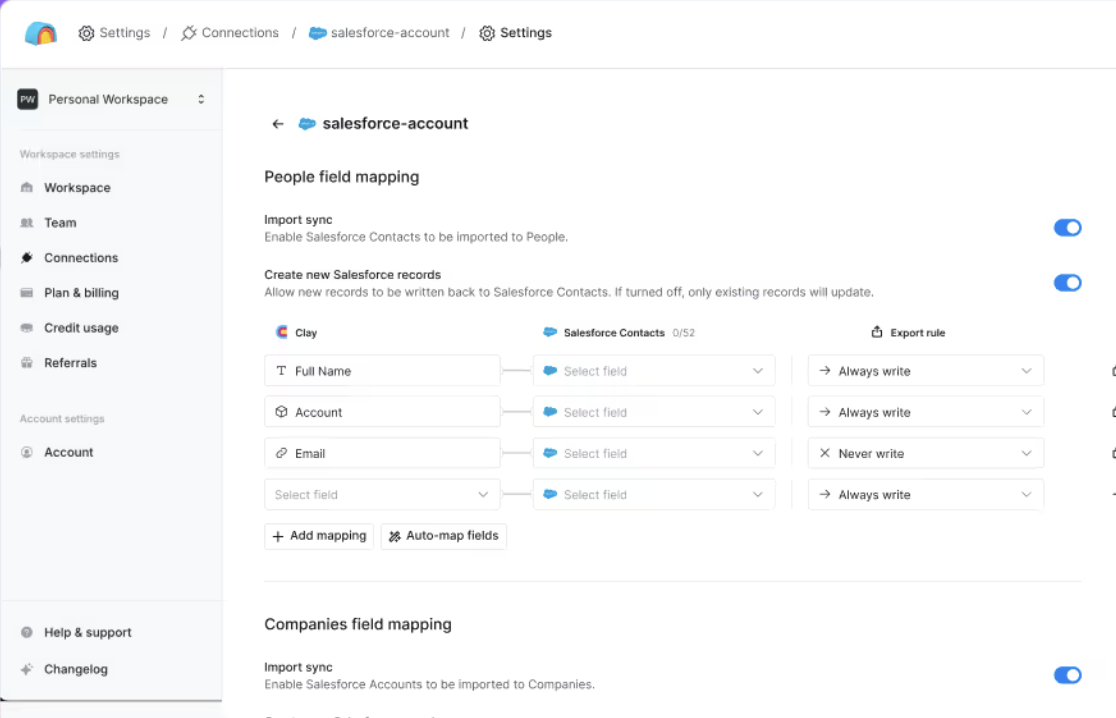
Clay AI Salesforce Package
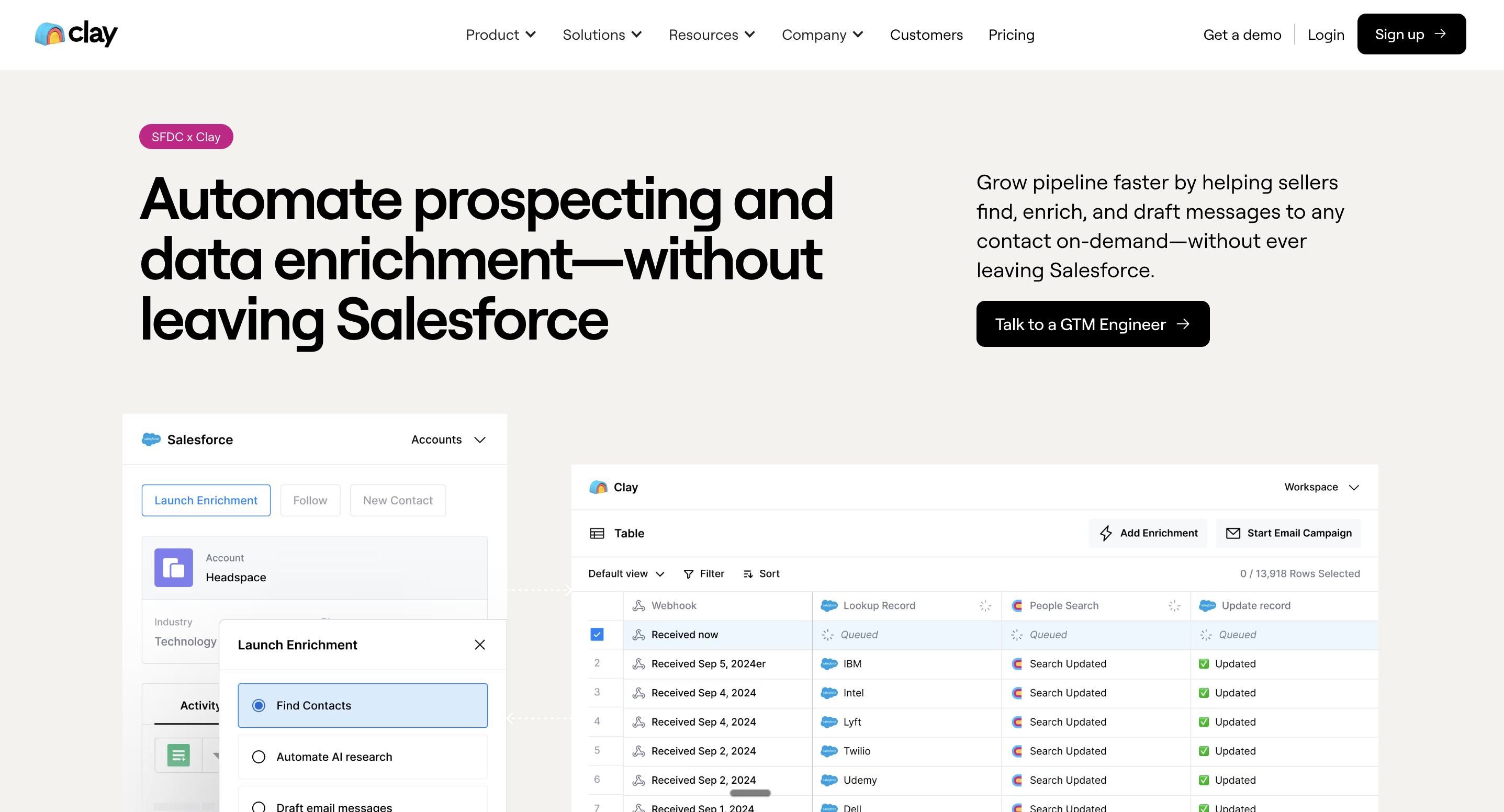
Clay offers a native Salesforce integration that supports:
Bi-directional data sync
Custom object mapping
Field-level enrichment
Automated scoring
Opportunity-level workflows
This is a huge selling point for RevOps teams.
Security & Trust (Why Clay Is Considered Legit)
Clay meets enterprise-grade security standards:
SOC 2 Type II
GDPR compliant
CCPA compliant
ISO 27001
So if you're wondering, “Is Clay legit or safe?” — the answer is yes. They take security seriously, especially for data-sensitive industries.
How to Use Clay (Quick Beginner Walkthrough)
Clay looks complex at first, but the onboarding is actually simple. Here’s a quick, visual-style overview based on the most common steps teams take when getting started.
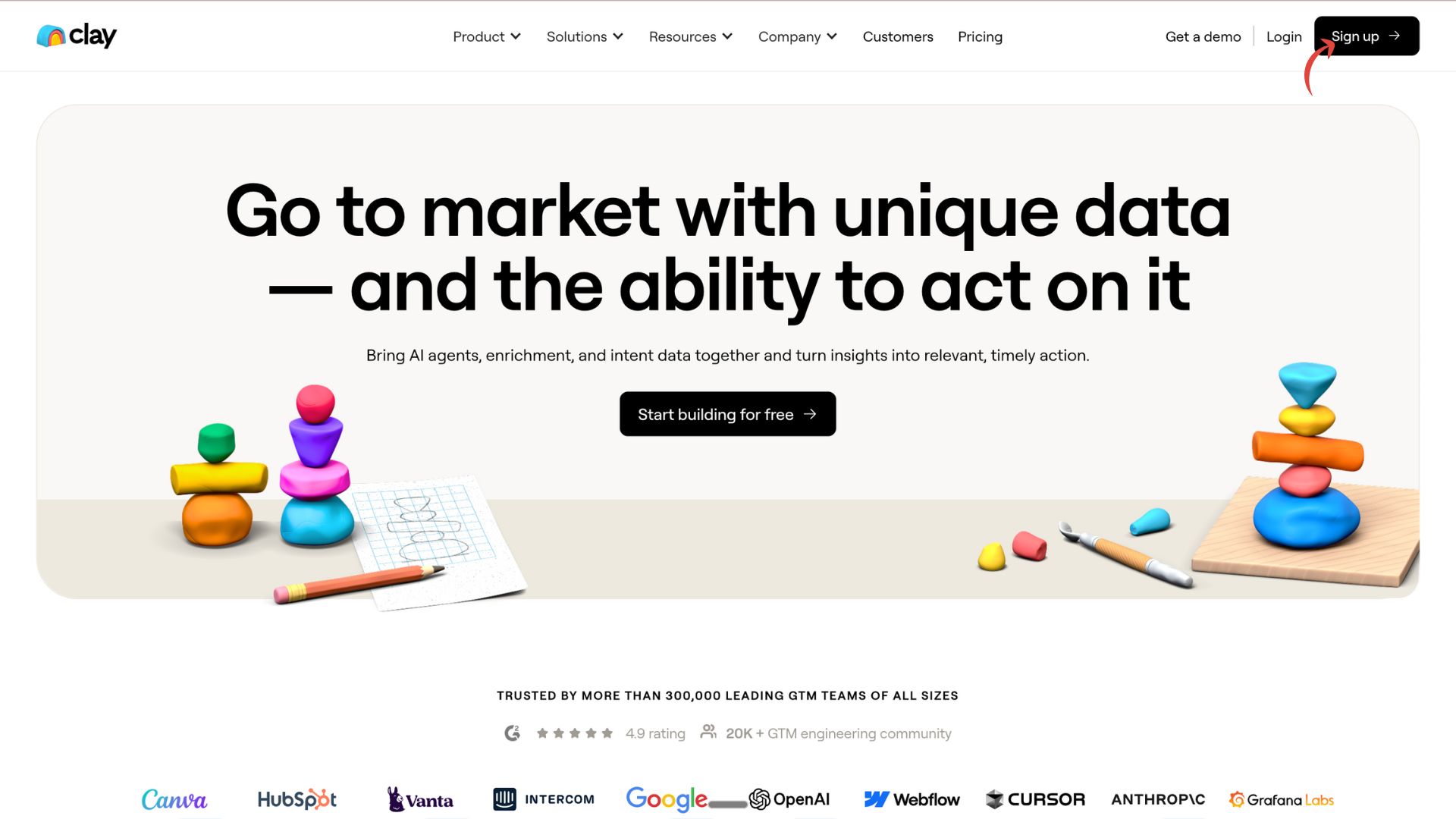
Step 1: Visit Clay.com and Sign Up
Go to clay.com, hit “Start building for free”, and create your account.
Clay will immediately walk you through naming your workspace and setting up your first project.
Step 2: Create Your Workspace
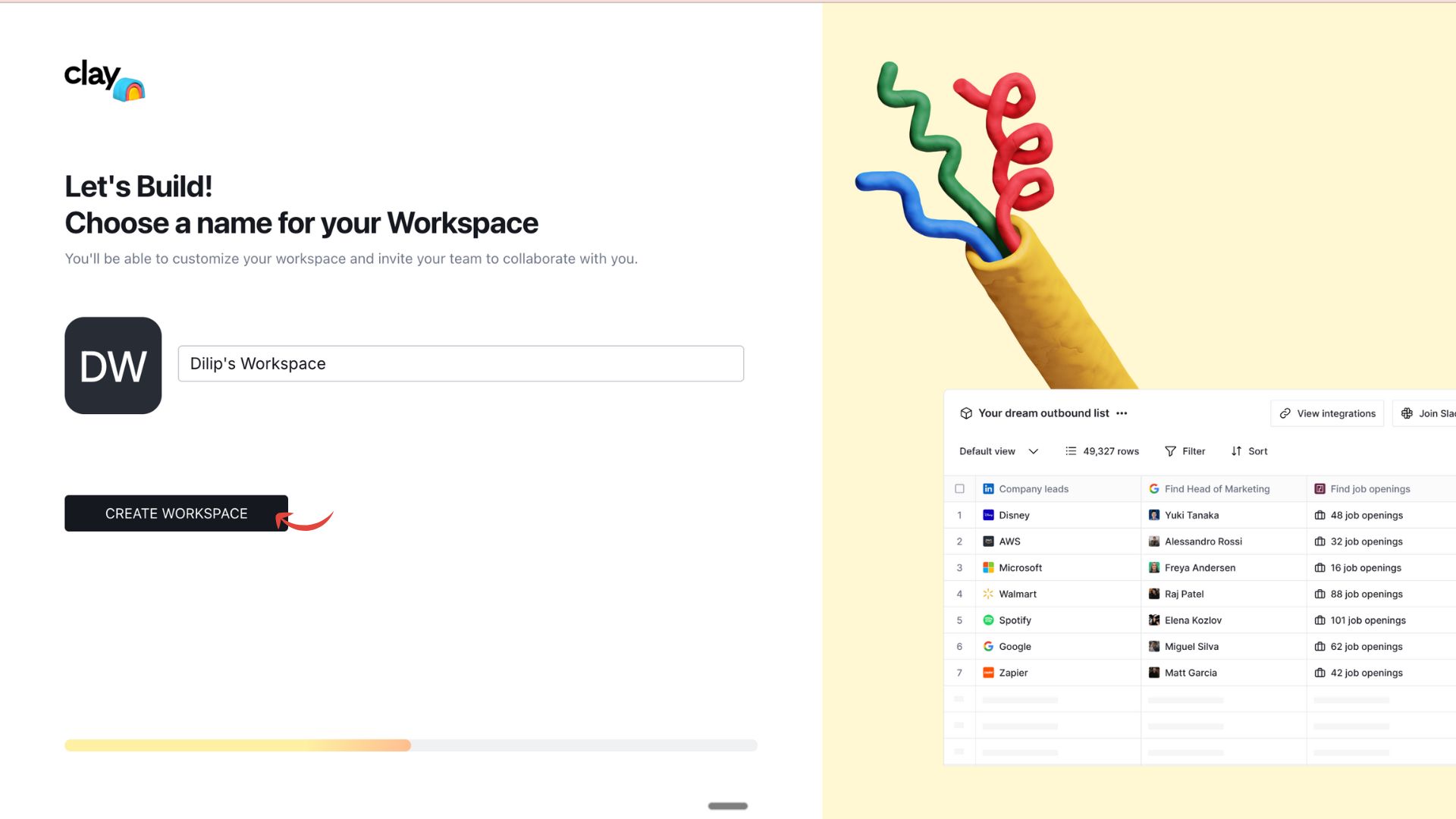
You’ll be asked to name your workspace (ex: “Sales Team Workspace” or “Outbound RevOps”). This is where your team collaborates, stores tables, runs enrichments, and builds workflows.
Step 3: Pick Your First Problem to Solve
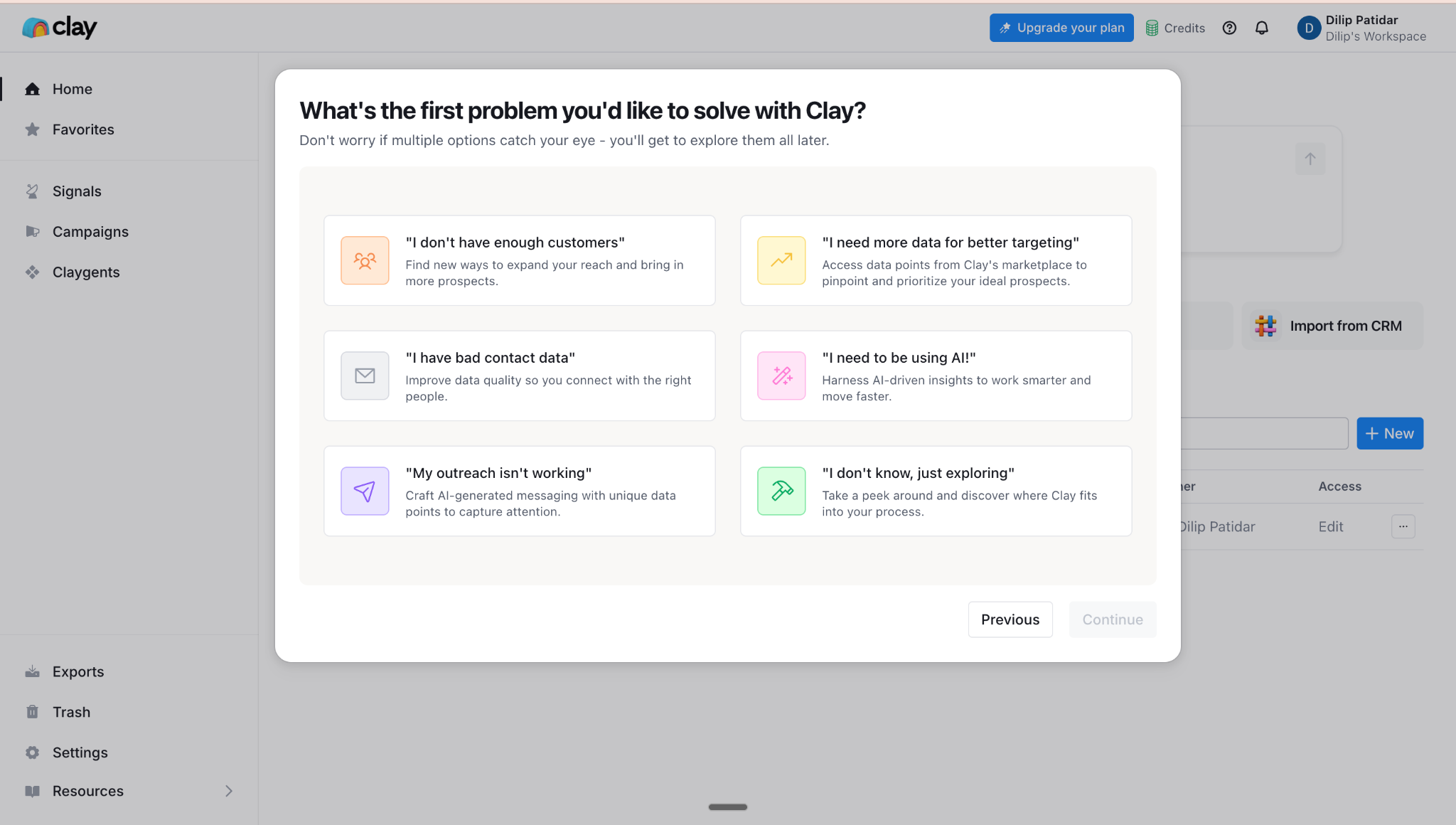
Clay asks: “What’s the first problem you’d like to solve?”
Choose the one closest to your goal. For example:
“I need to be using AI!” → AI agents, Claygent, automated research
“I don’t have enough customers” → list building & new prospects
“I have bad contact data” → enrichment & cleanup
“My outreach isn’t working” → personalization lines, summaries, signals
This step helps Clay pre-load recommended tools for your workspace.
Step 4: Explore Clay’s Core Features
Clay is basically a supercharged spreadsheet with data sources, AI agents, and enrichment actions.
Here’s what each core module does:
Find & Enrich Data
1. Find People
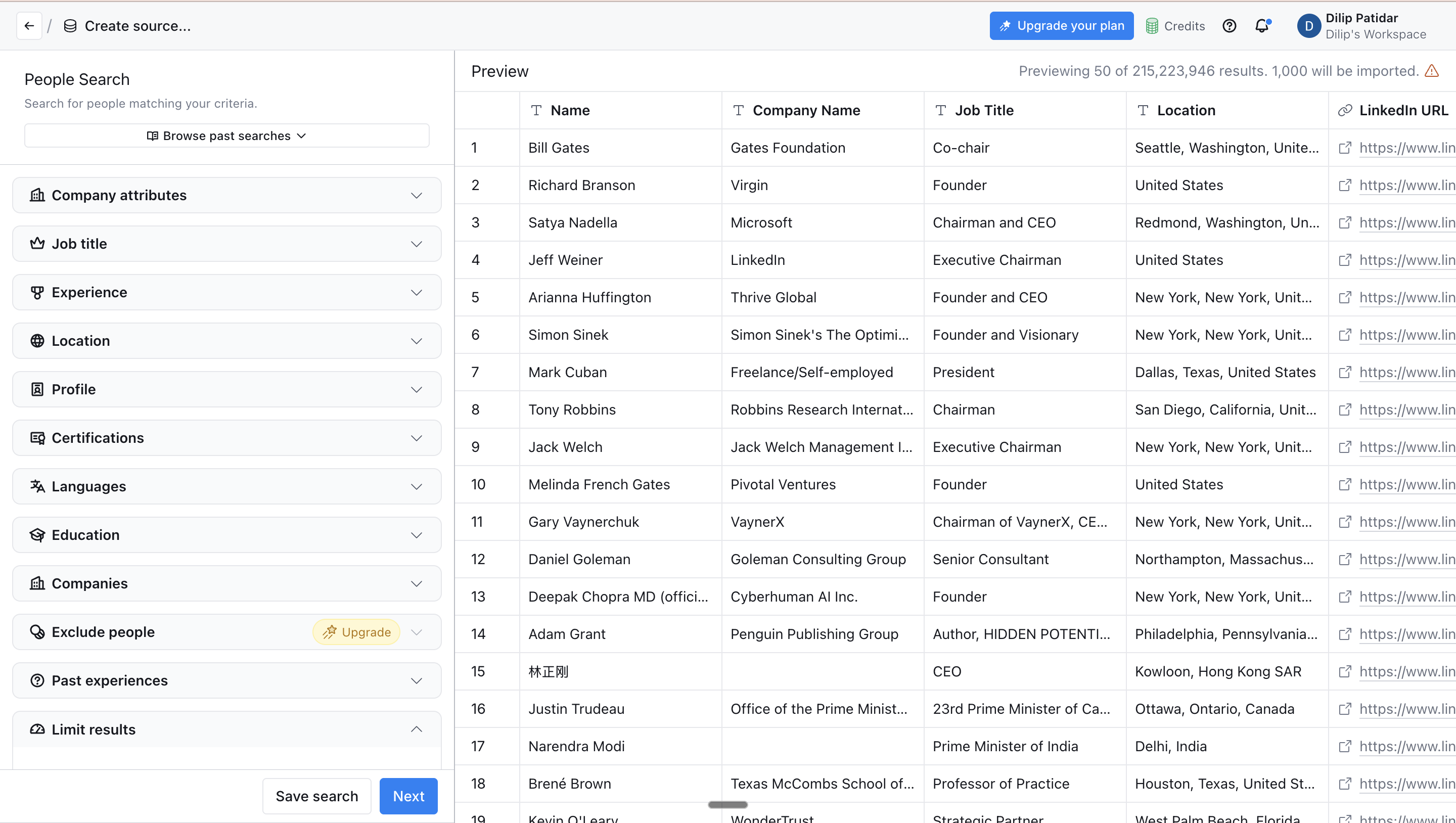
Search millions of people by job title, seniority, company, location, keywords, etc.
Clay automatically pulls LinkedIn URLs, emails, work history, and dozens of attributes.
2. Find Companies
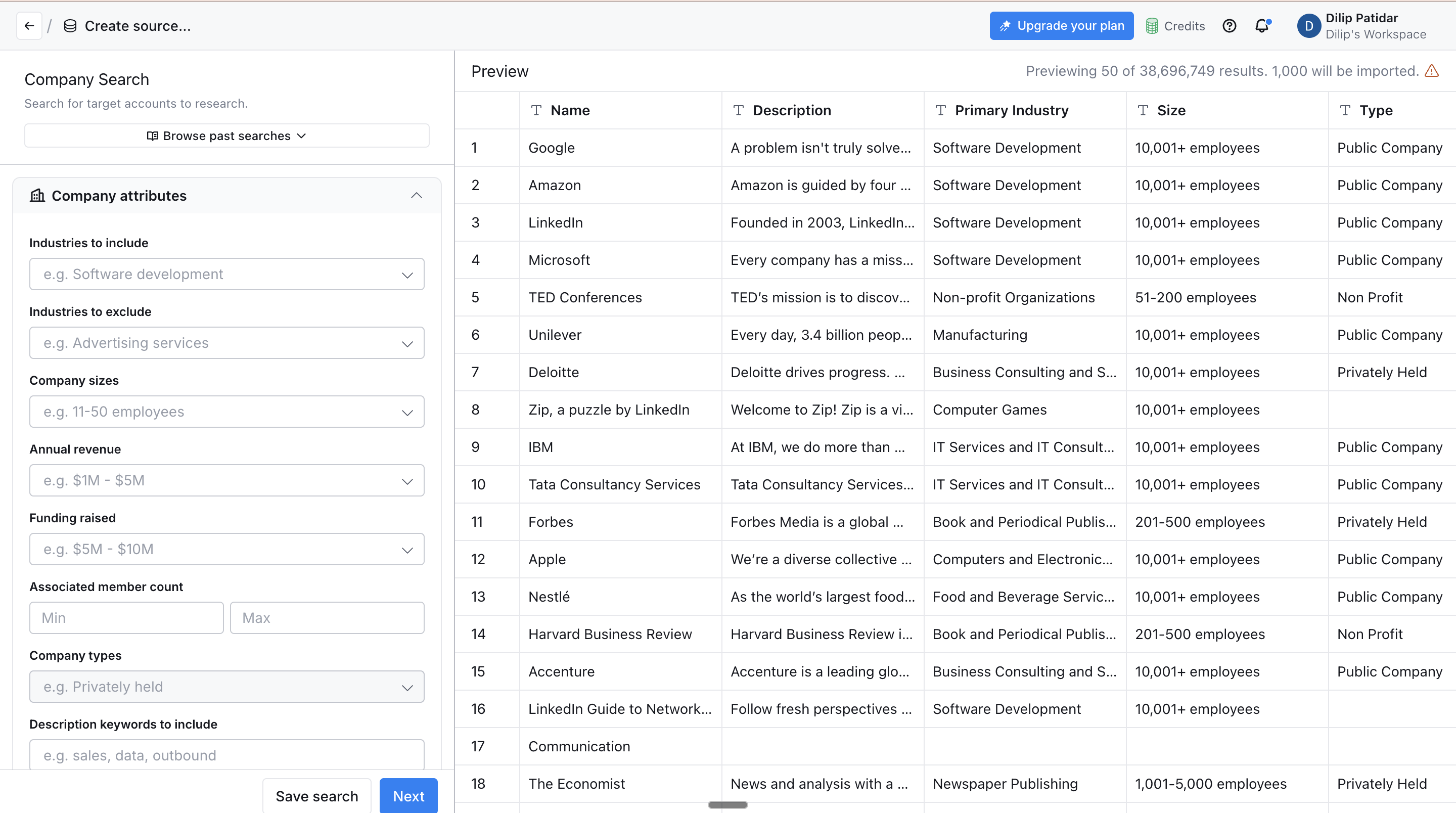
Build account lists using:
Industry
Headcount
Revenue
Technologies used
Keywords
Geography
Perfect for TAM building and ABM workflows.
3. Find Jobs
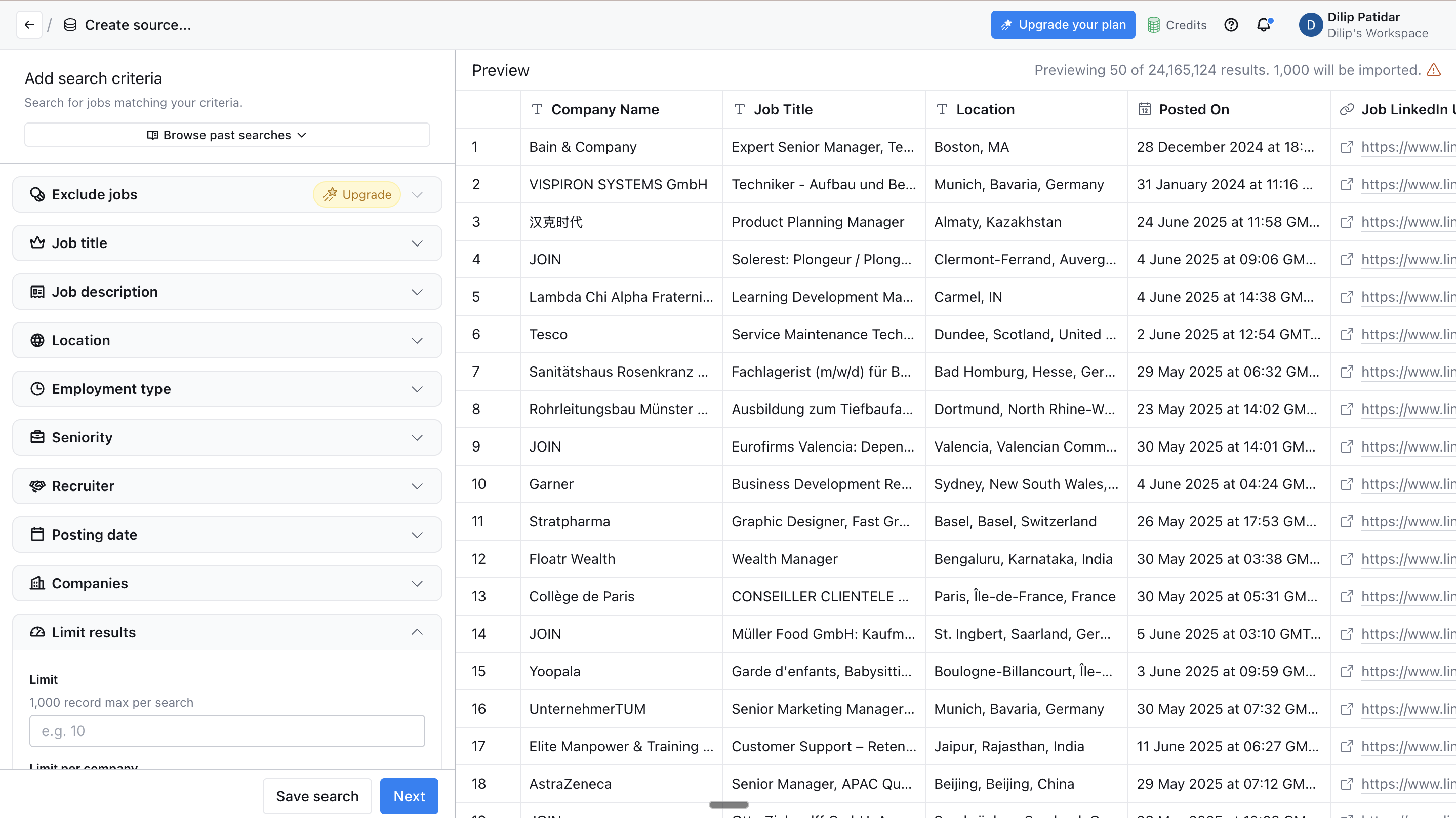
Pull job listings by company or role.
Useful for intent detection (ex: “hiring SDRs → growing sales team → outbound trigger”).
4. Find Local Businesses
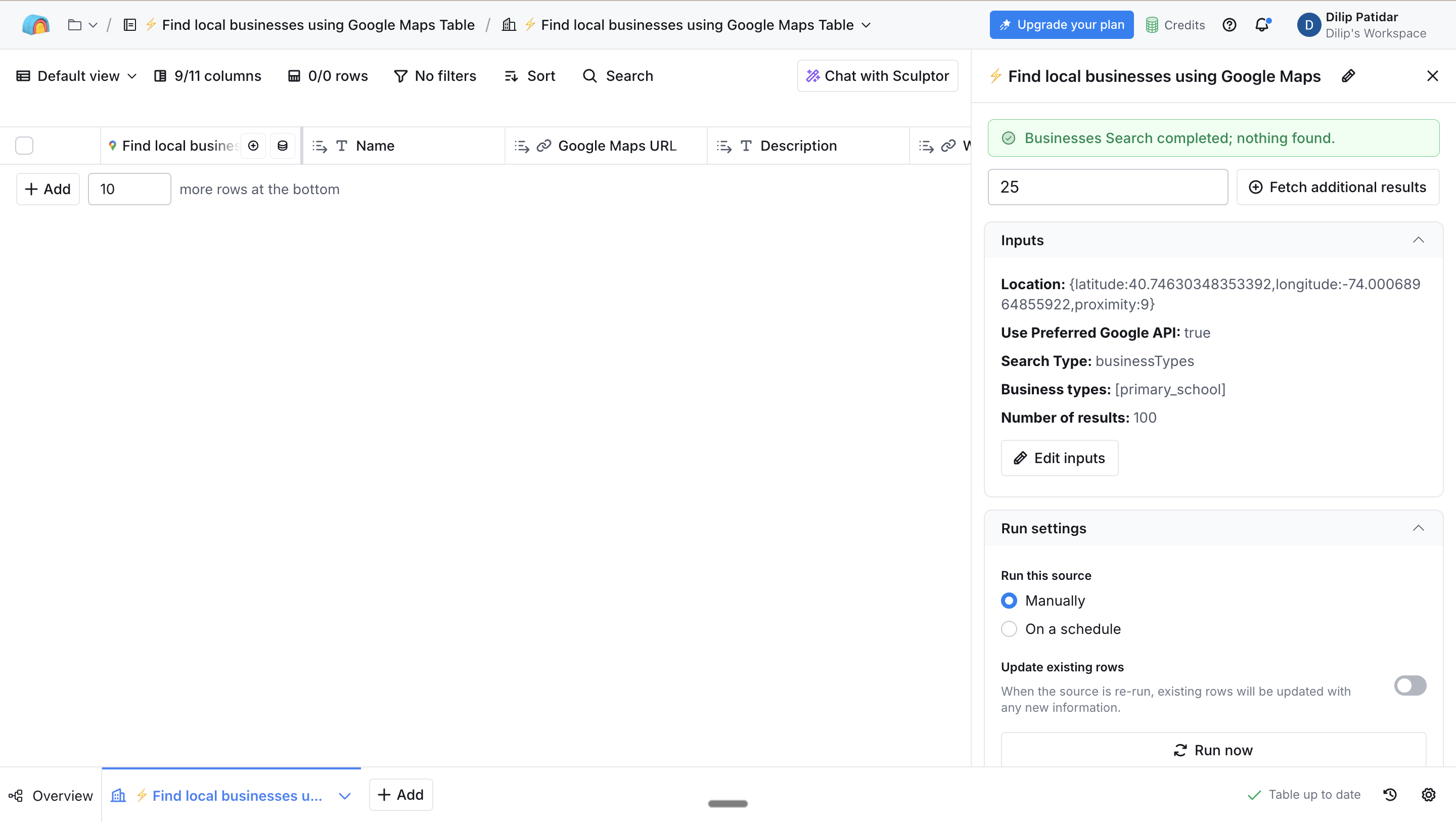
Search Google Maps for businesses around any location.
Great for agencies, local lead gen, franchise outreach, or regional B2B services.
5. Import CSV
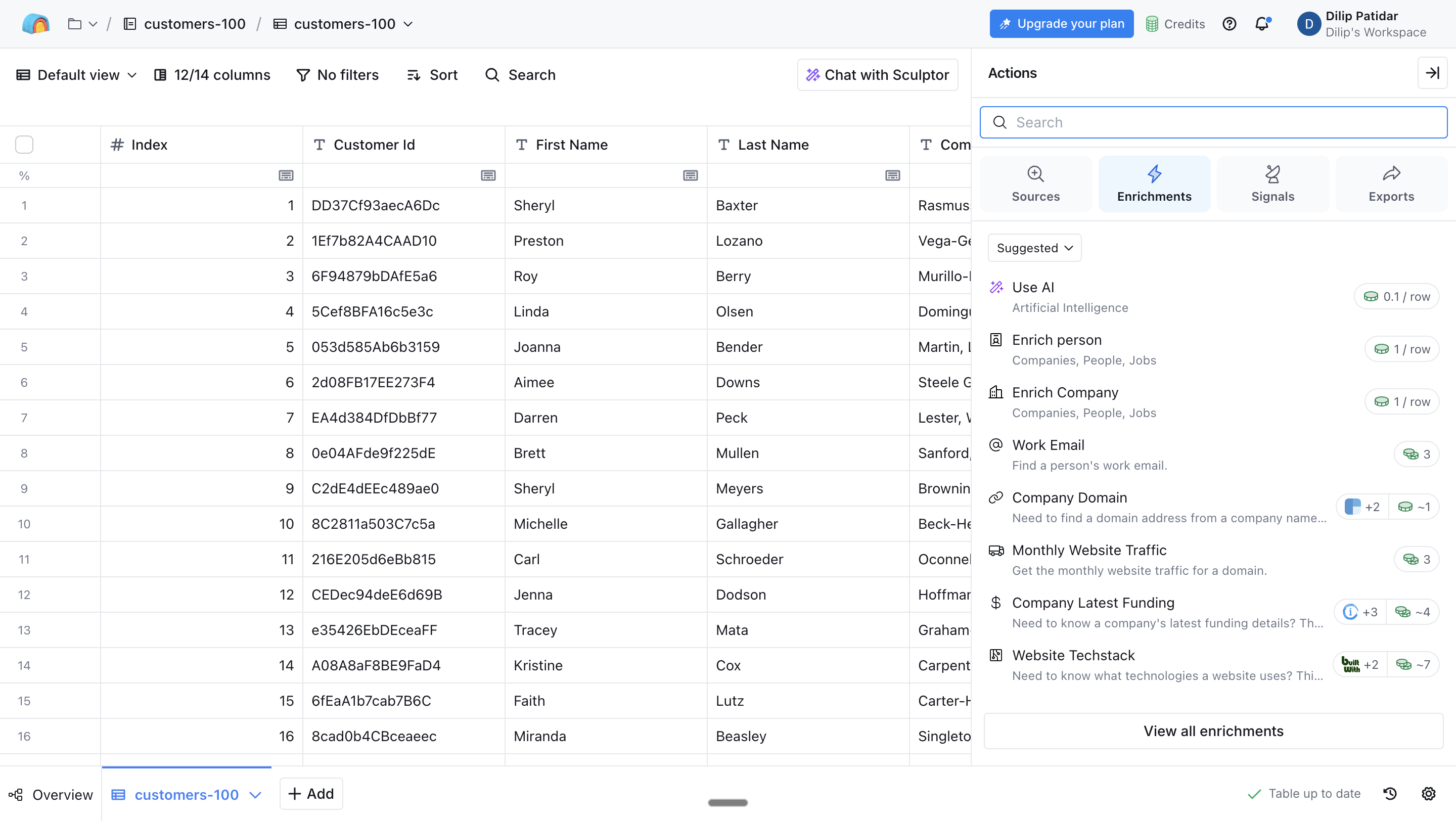
Upload existing account or contact lists and clean or enrich them in Clay.
6. Import From CRM (HubSpot, Salesforce, etc.)
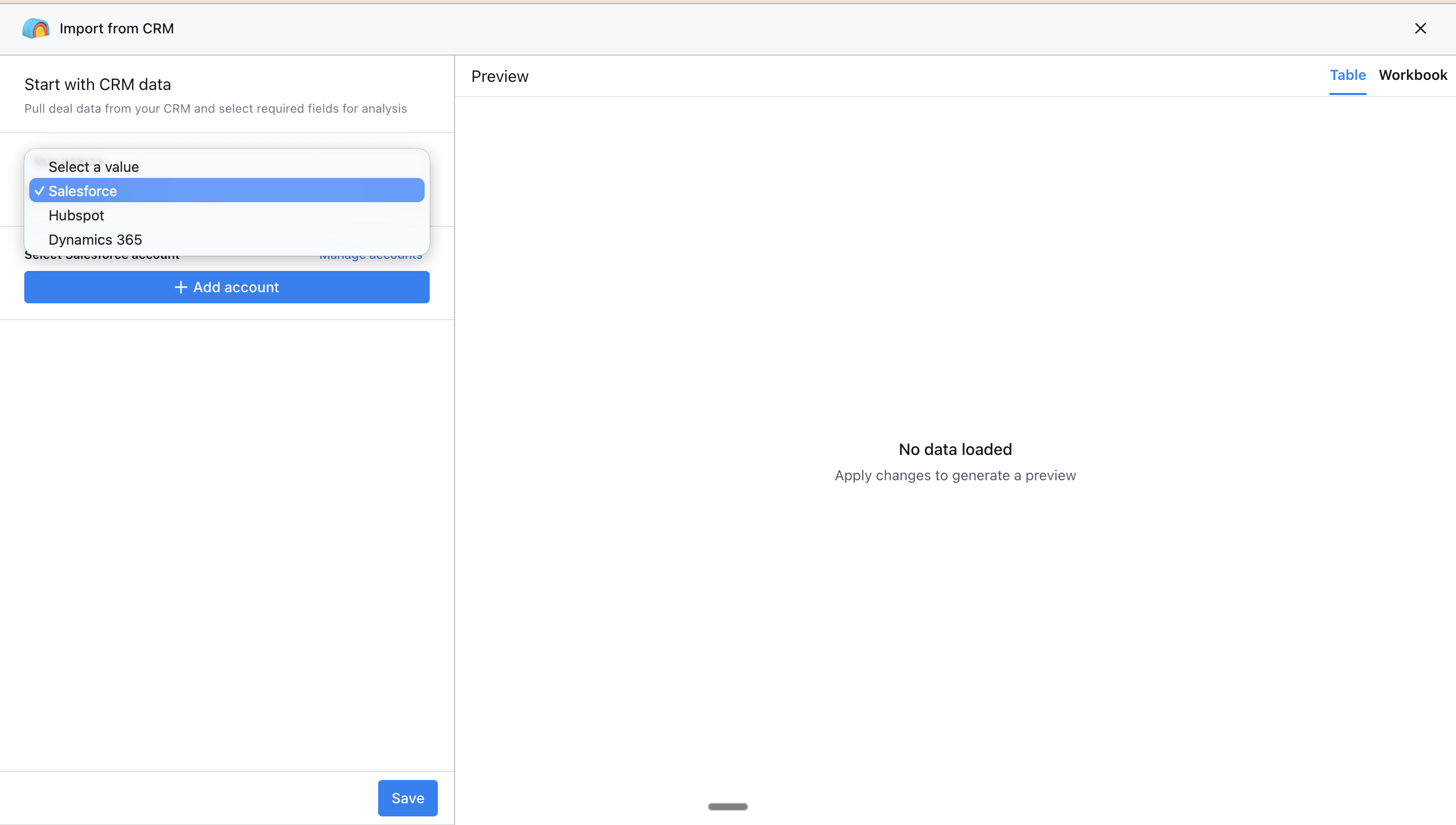
Sync live CRM data, enrich it, fix duplicates, and send it back with updates.
Automation Modules
Signals
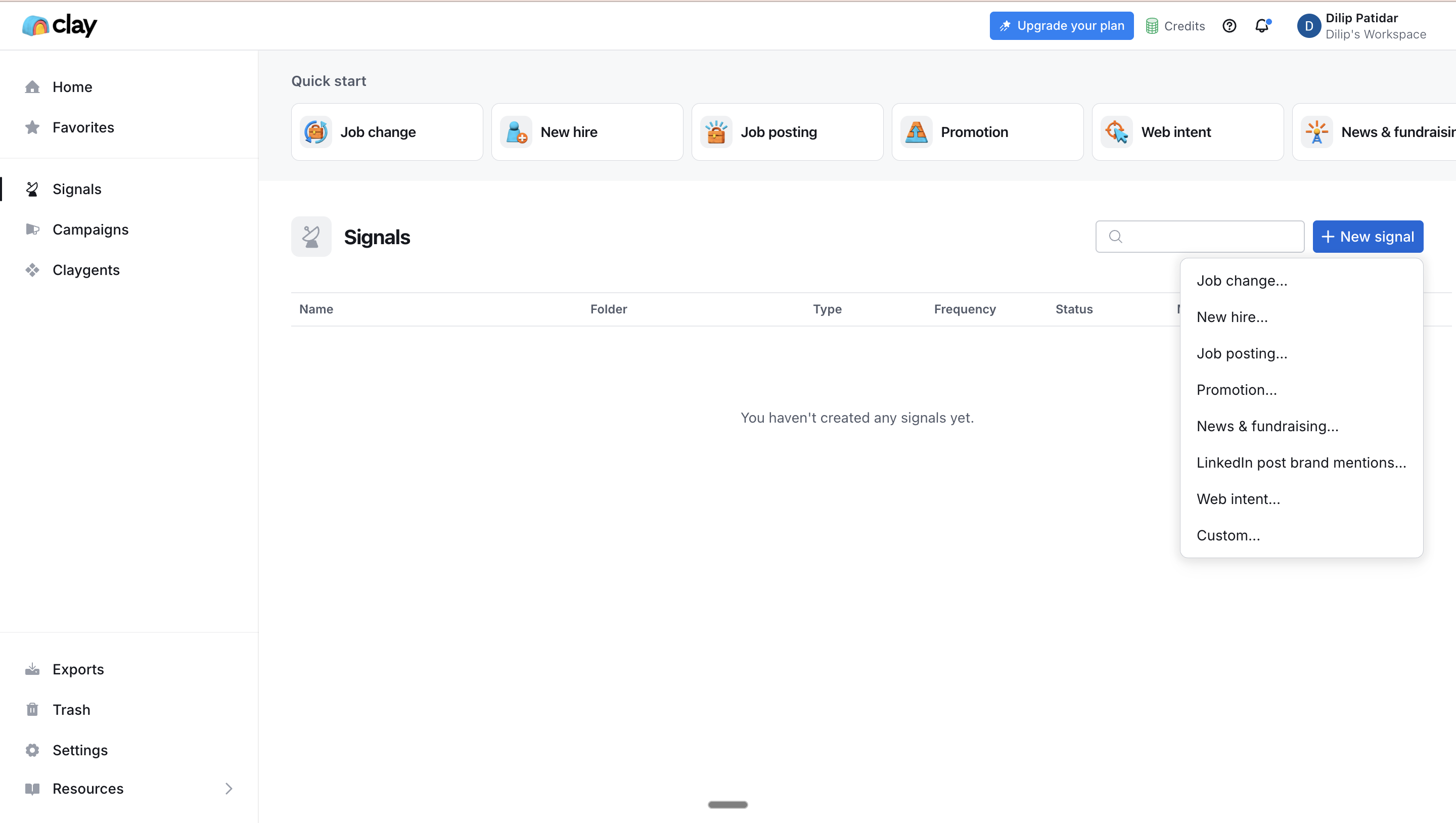
Automated monitors for things like:
Job changes
New hires
Fundraising
Company news
Web intent
Clay notifies you and enriches leads automatically when a trigger fires.
Campaigns
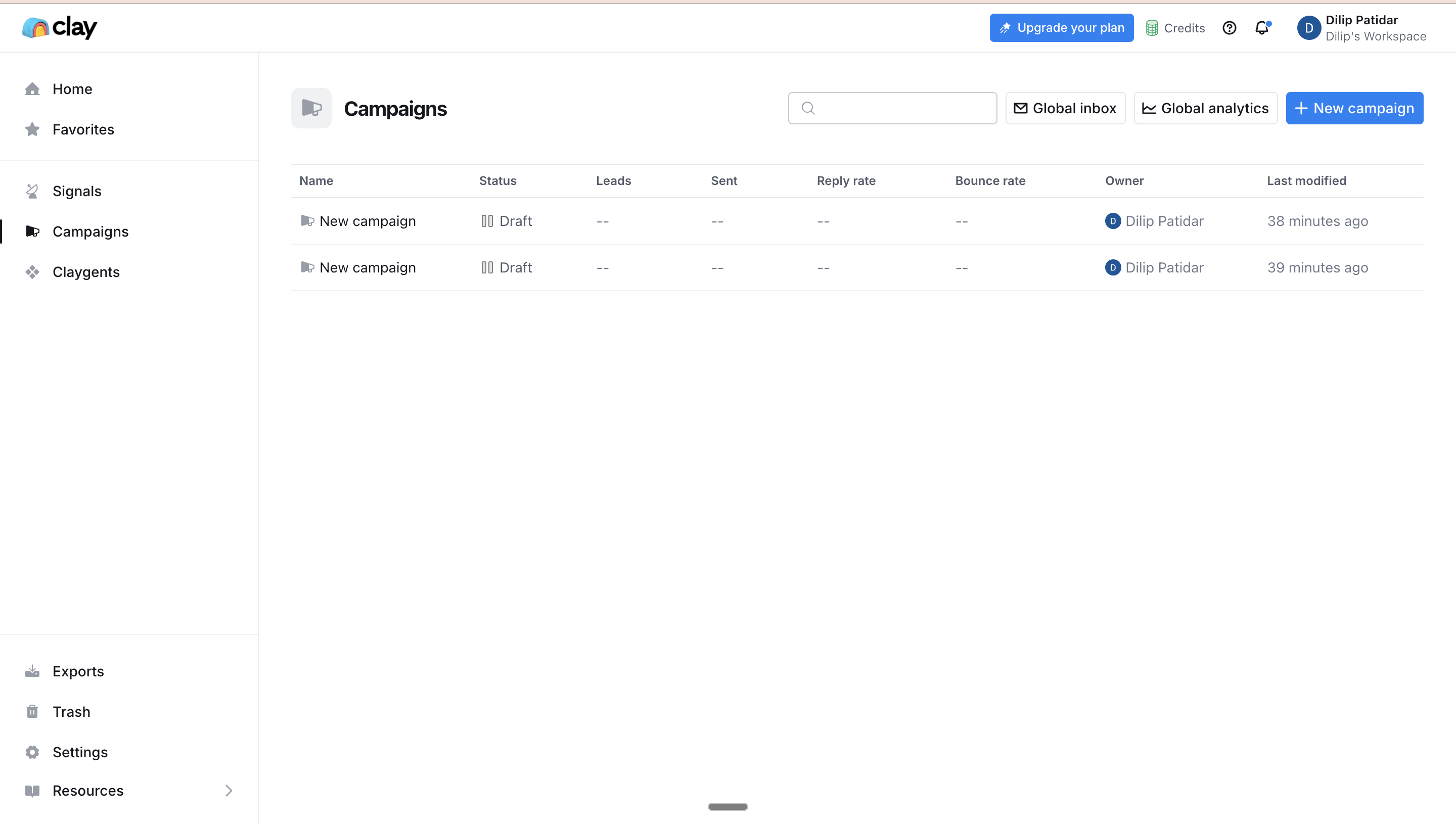
Campaigns let you send data into outreach tools or export clean, ready-to-send lists.
(Clay is not a mail sender, it pushes data to Smartlead, Outreach, Instantly, Apollo, etc.)
Clayagents (Claygent)
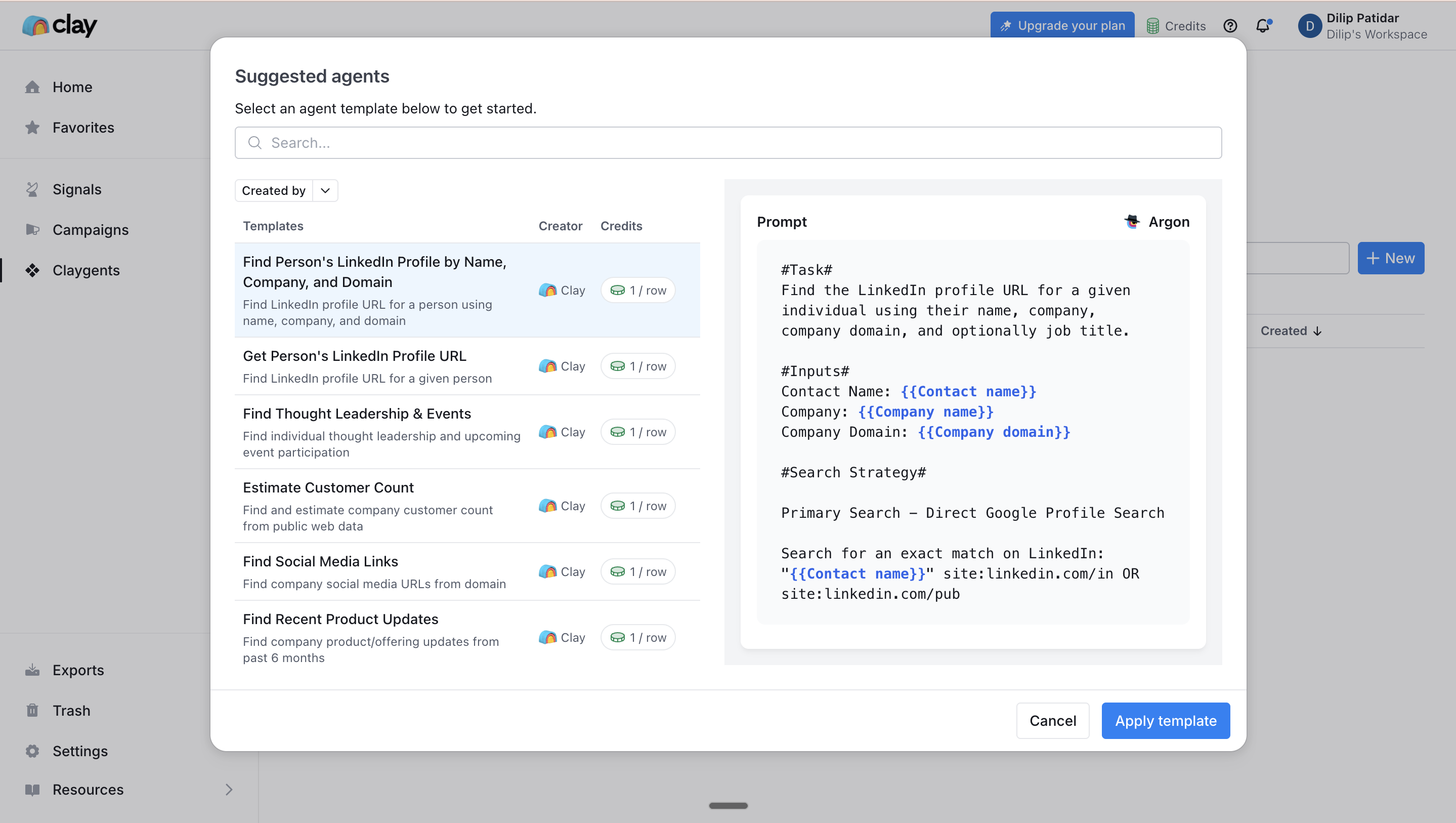
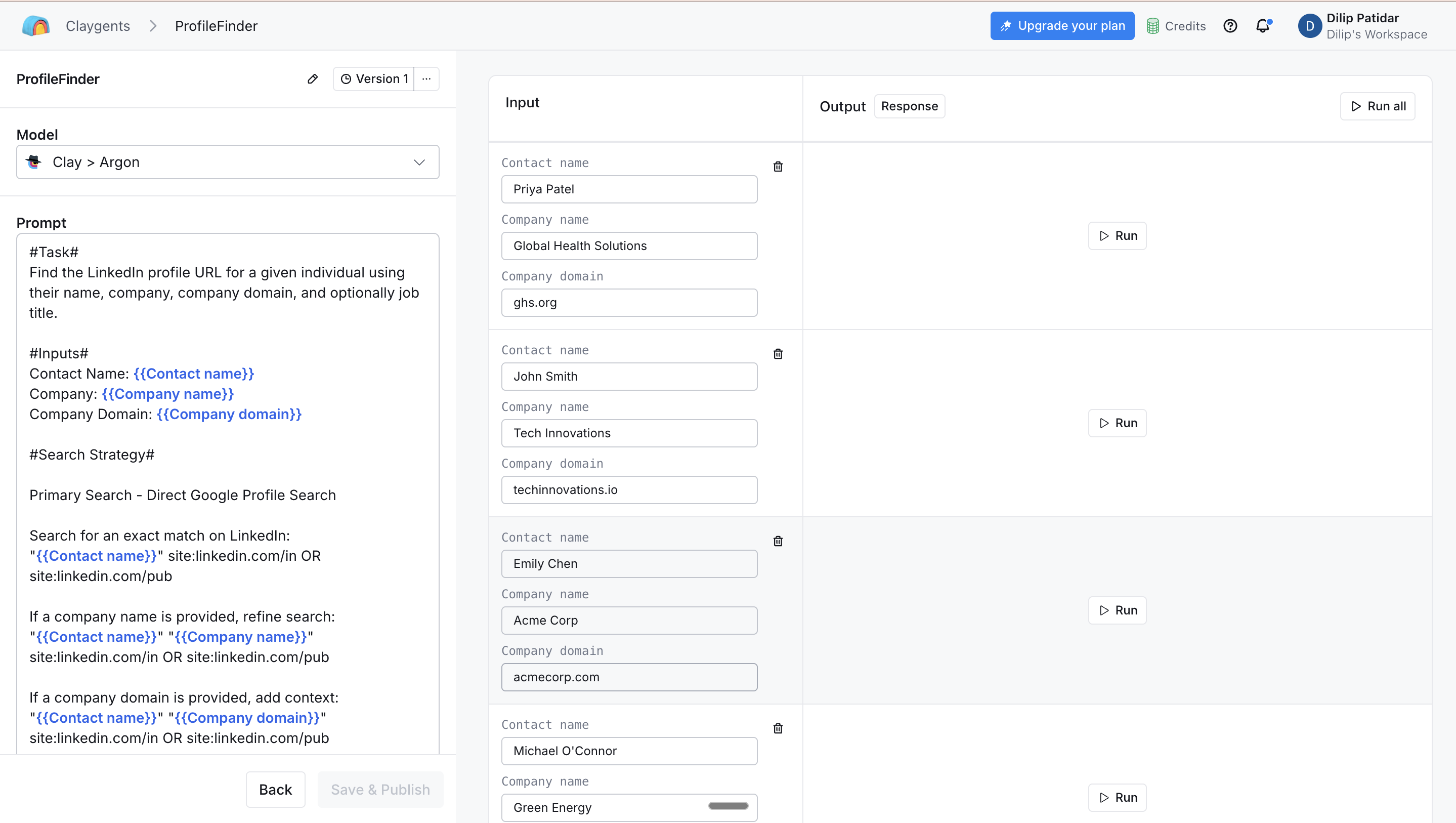
This is one of Clay’s strongest features:
AI agents that browse the web
Read content
Summarize insights
Analyze companies
Generate personalized lines
Detect buying signals
Research prospects automatically
You describe the task, Clay builds the agent.
Other Tools
Exports
Download enriched tables or send them straight into your sequences.
Trash
Recover deleted tables or workflows.
Settings
Manage workspace, billing, integrations, API keys, and user roles.
Resources
Built-in tutorials, templates, and Clay University content.
Want the Full Walkthrough?
This is just a fast overview so readers understand how Clay works. For a deeper intro with visuals, workflows, and examples, refer to this video.
Clay Pricing 2026: How Much Does Clay Cost?
Clay’s pricing is one of the most discussed topics on G2, Reddit, and Product Hunt, mostly because it works differently from traditional SaaS tools. Instead of paying for fixed features, Clay uses a credit-based model for enrichment, research, and AI-powered actions.
Let’s break it down in a clean, straightforward way so you know exactly what you’re paying for and whether Clay is worth it for your team.
Clay Pricing Overview: Credit-Based Model Explained
Clay runs on a credit system, which is basically how you “pay” for enrichment, AI research, or scraping actions inside the platform.
Here’s how it works:
What costs credits:
Email enrichment (e.g., direct dials, work emails, validation)
Claygent research tasks
Web scraping & Navigator-style page interactions
Full profile or company enrichment
Intent signals (job changes, social updates, etc.)
Advanced workflows that require external data providers
What does not cost credits (free actions):
List building
Importing your own data
Cleaning/normalizing data
Deduplication
Filtering & grouping
Basic workflows
CRM syncing (depending on setup)
This is why Clay is insanely powerful for large US outbound teams, you only pay for the data you enrich, not the lists you create.
But it’s also why Reddit users often say:
“Clay is amazing at scale… but if you send fewer than 10k emails/month, it may not be worth the cost.”
So the credit model is perfect for teams who need volume + complexity, but it can feel expensive for small agencies or solopreneurs.
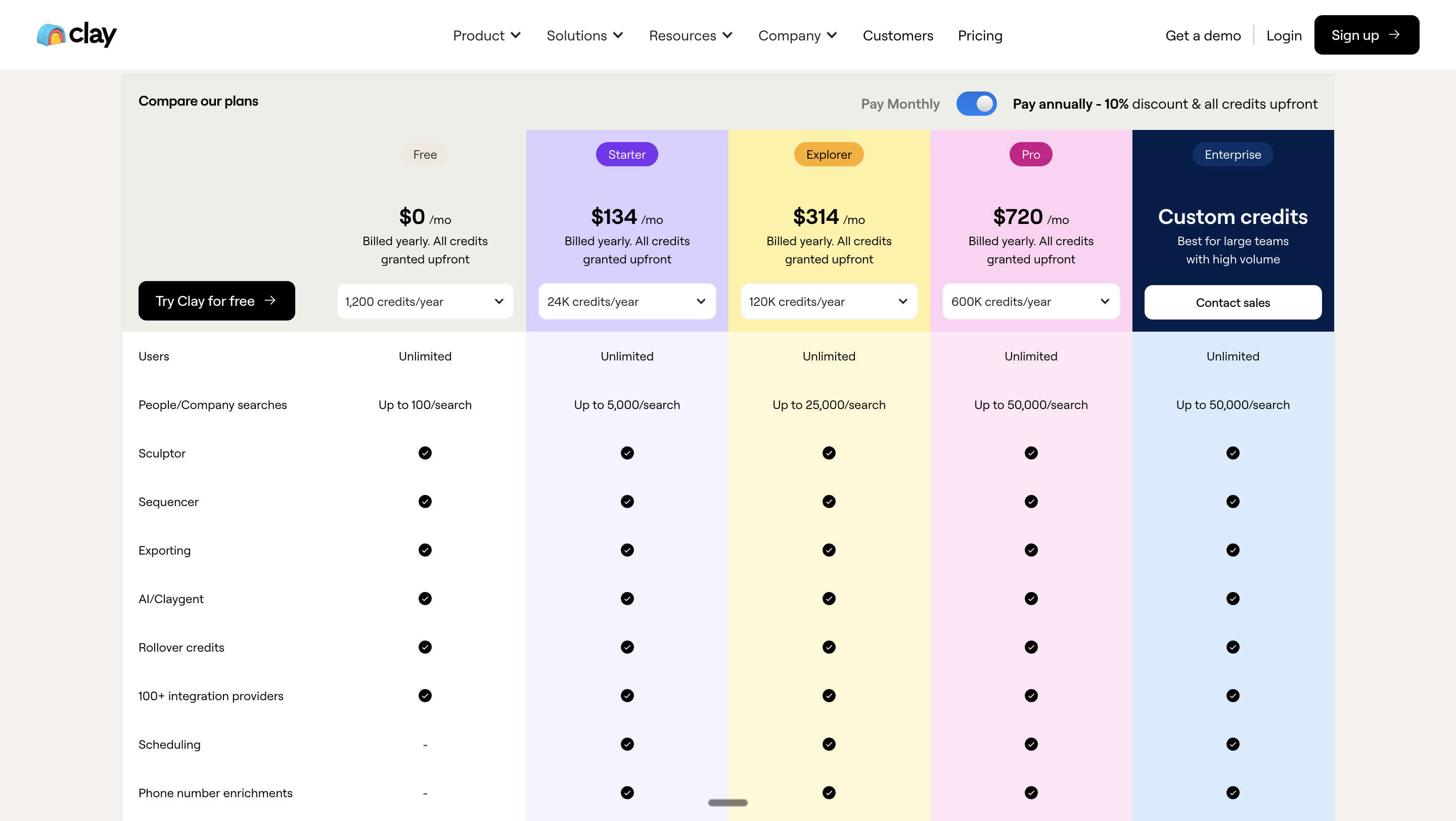
Clay Plans – Free, Starter, Explorer, Pro & Enterprise
Clay offers 5 main pricing tiers for US teams. These are the typical ranges publicly shared:
1. Free Plan
Up to ~100 searches
Limited enrichment
Basic workflows
Great for testing or small experiments
2. Starter – ~$134/month
Around 5,000 searches
Access to more integrations
CSV export
Good for low-volume outbound teams
3. Explorer – ~$314/month
~10,000 searches
Webhooks
Email tool integrations
Most popular for Seed–Series A teams testing outbound at scale
4. Pro – ~$720/month
~25,000 searches
Deeper CRM integrations
Unlimited table rows
Great for RevOps-heavy teams with multiple reps
5. Enterprise – Custom
100k+ searches
Dedicated support
Security reviews
Advanced governance controls
Typical for Series B–Series D SaaS and enterprise GTM orgs
These prices vary depending on annual billing, overages, and credit usage, but these ranges reflect typical US market adoption.
Is Clay Worth It? (For What Team Size & Volume)
Clay is worth it for high-volume outbound teams (10k+ emails/month) that need advanced enrichment, research, and automated GTM workflows. It’s expensive and overkill for small senders or non-technical users.
What real users say (Reddit + G2 + ProductHunt)
💬 Reddit users:
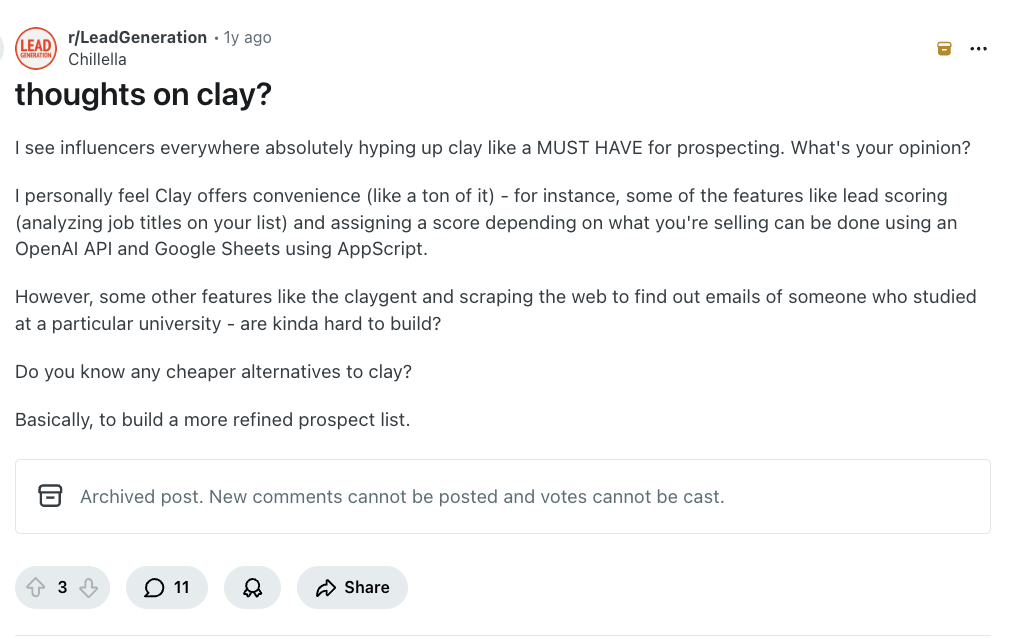
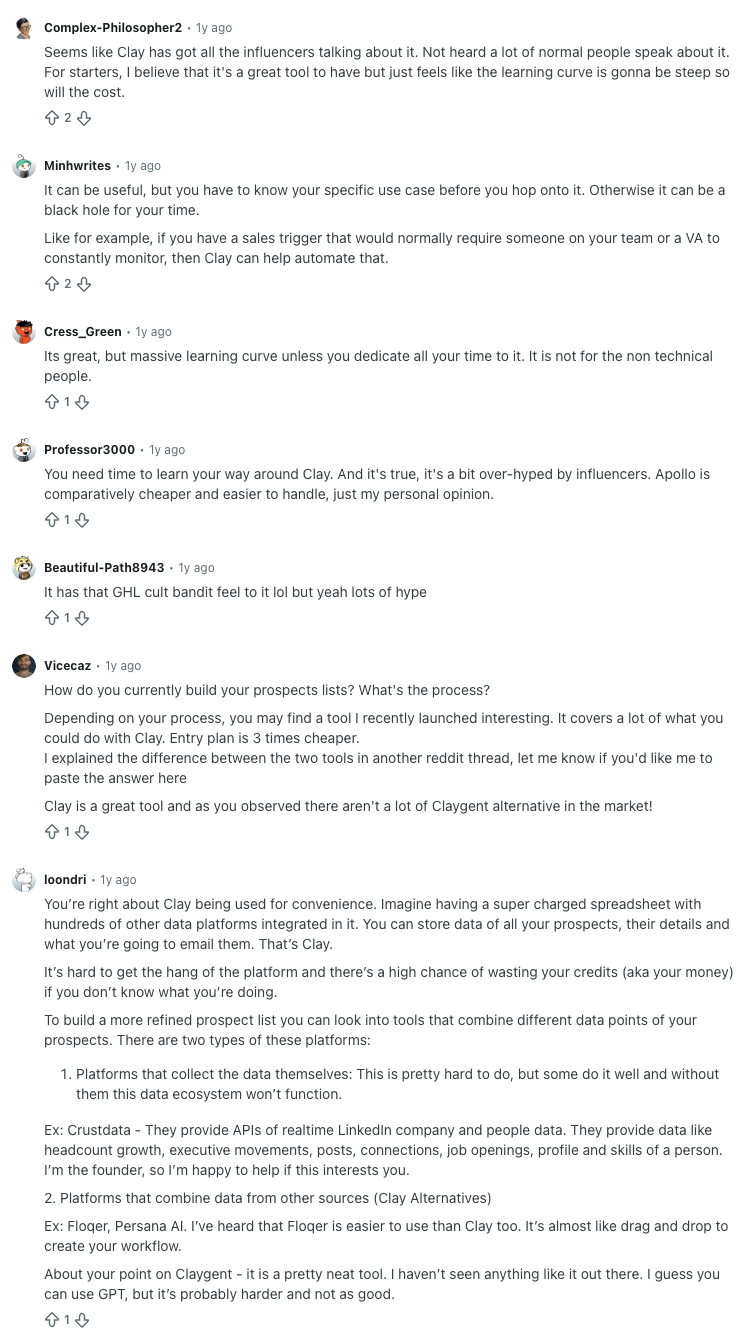
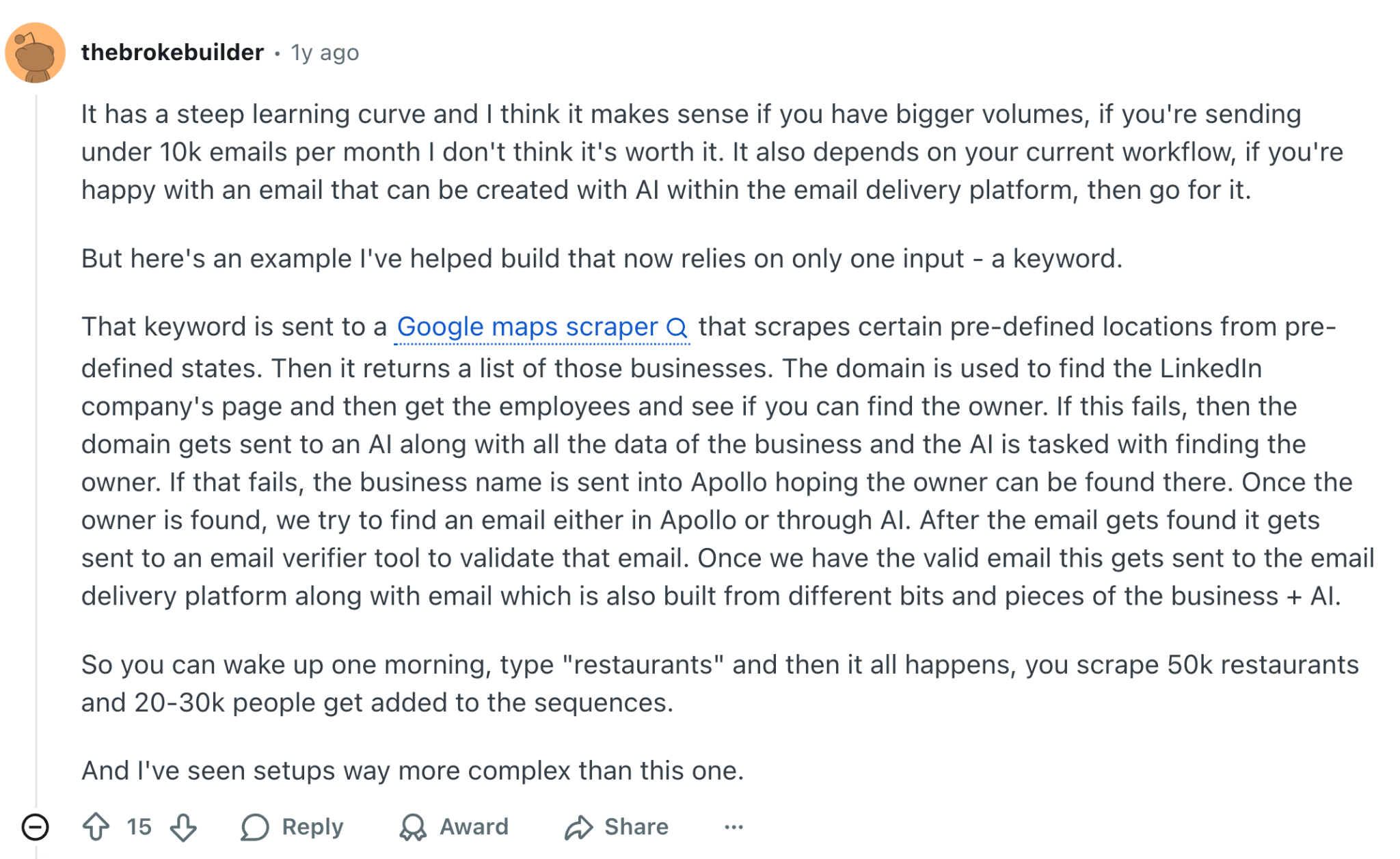
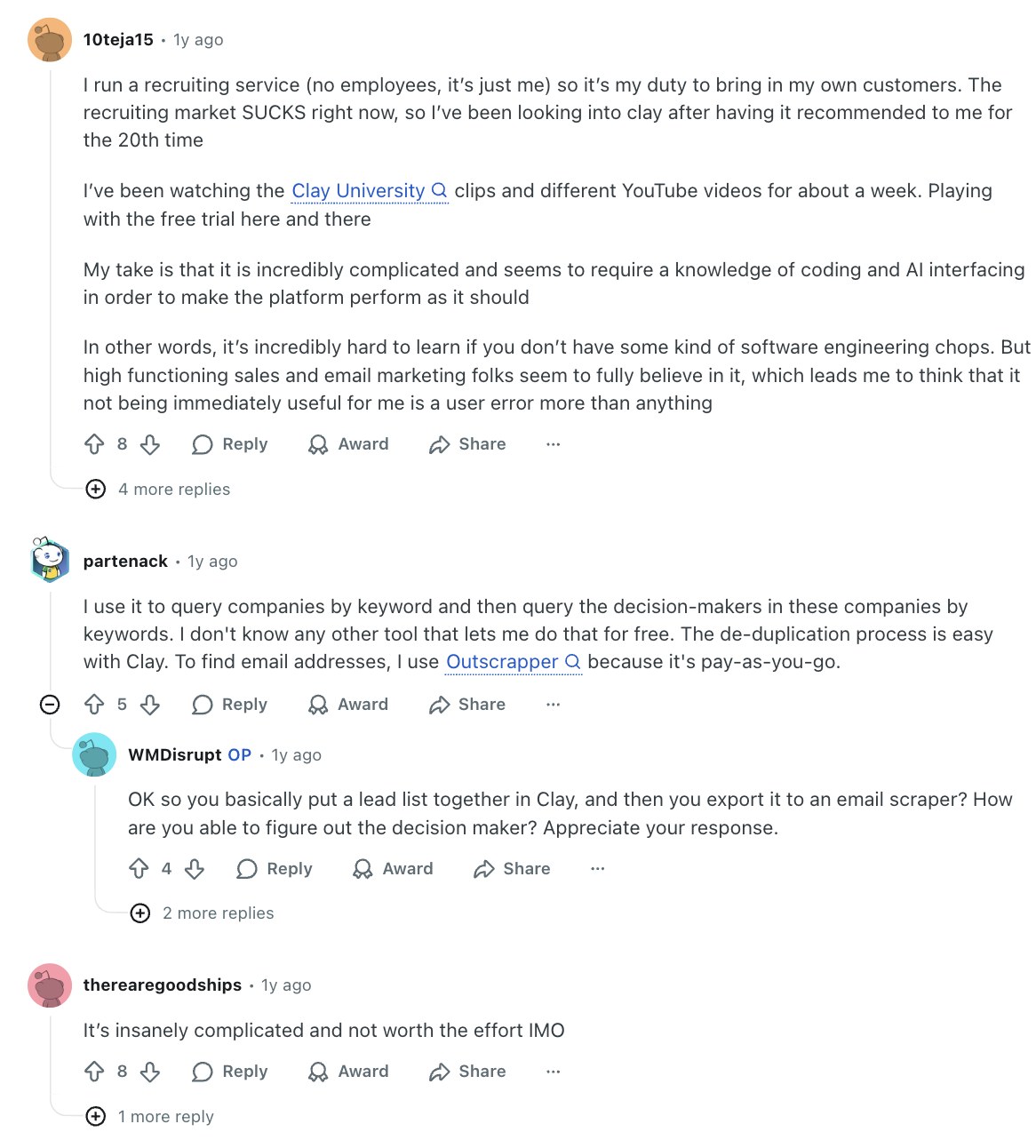
“Amazing convenience at scale, but not worth it for <10k emails/month.”
“Steep learning curve — powerful but time-consuming if you’re not technical.”
“Can be a money pit if you don’t know your workflow.”
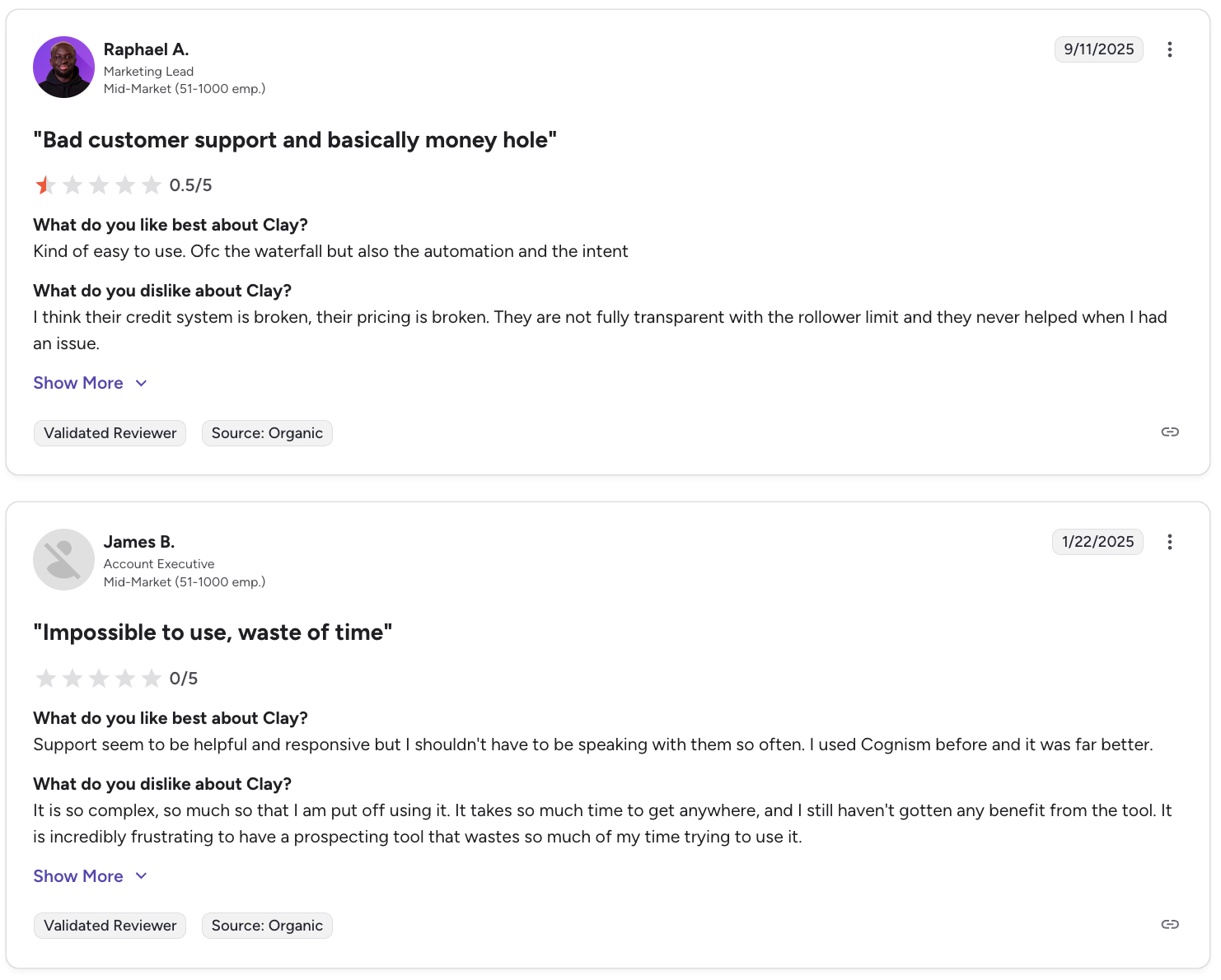
💬 G2 reviews:
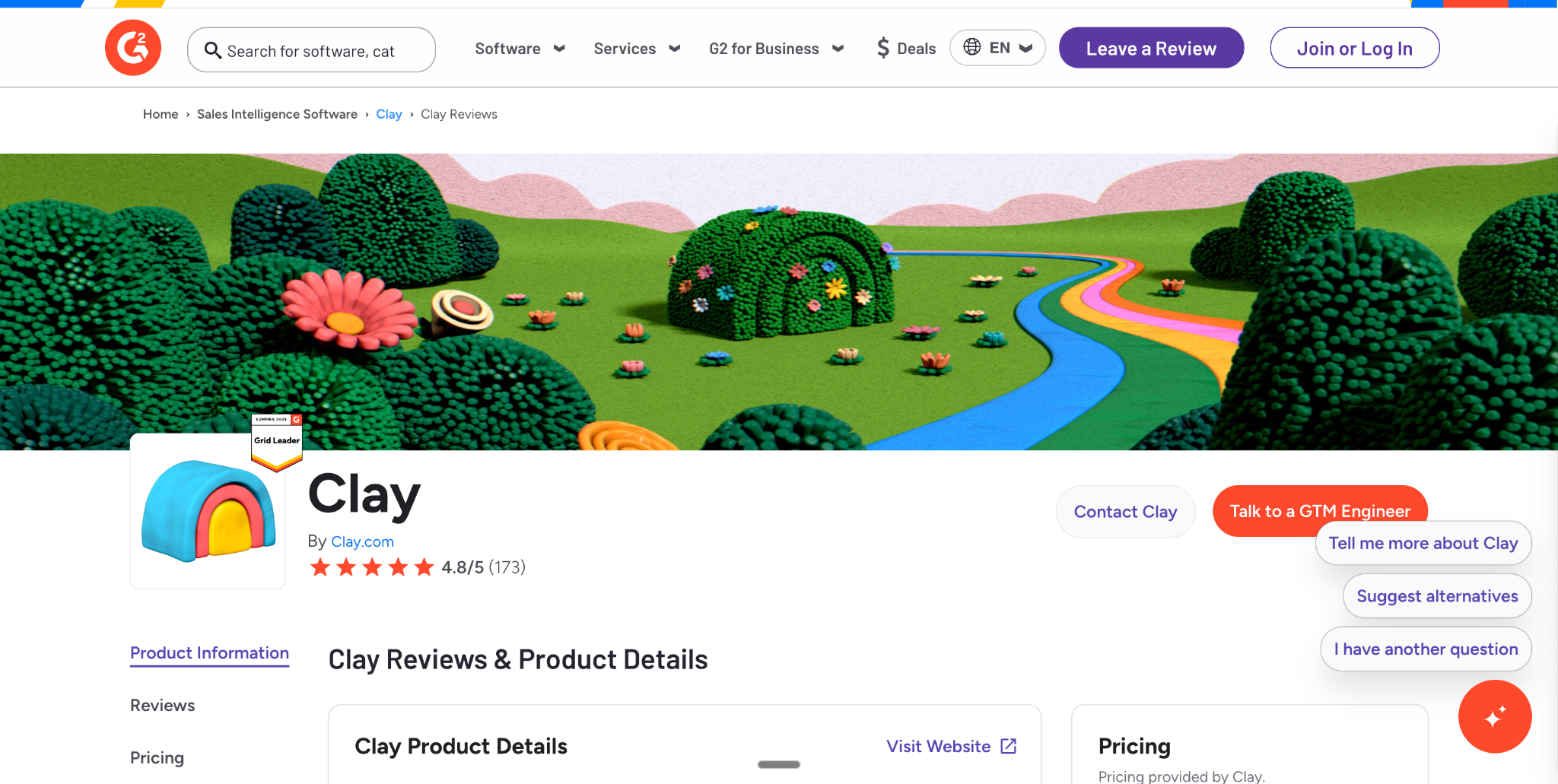
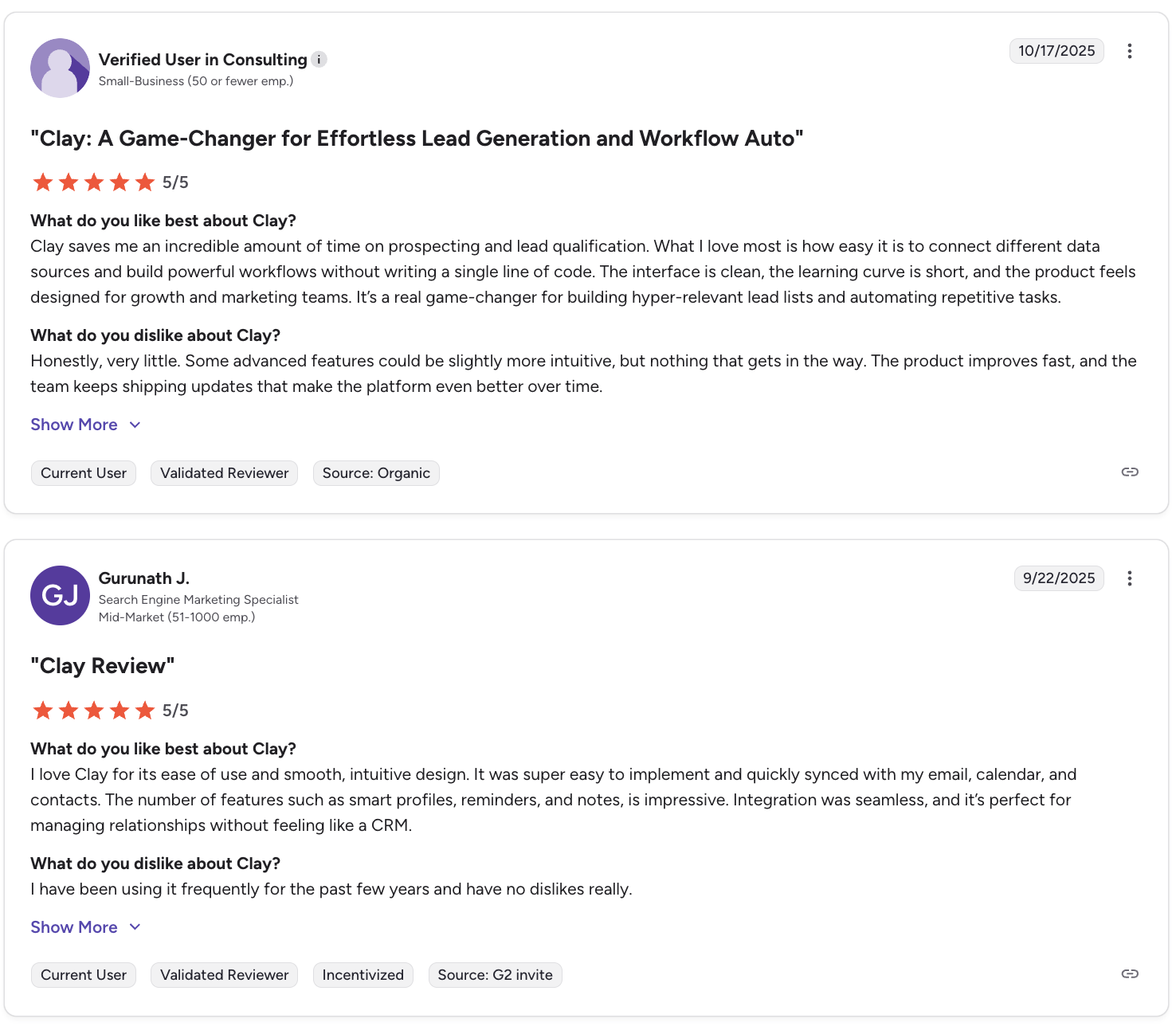
“Game changer for list building and workflow automation.”
“Credit system is broken… pricing can explode quickly.”
“Impossible to use — huge learning curve.”
💬 ProductHunt reviews:
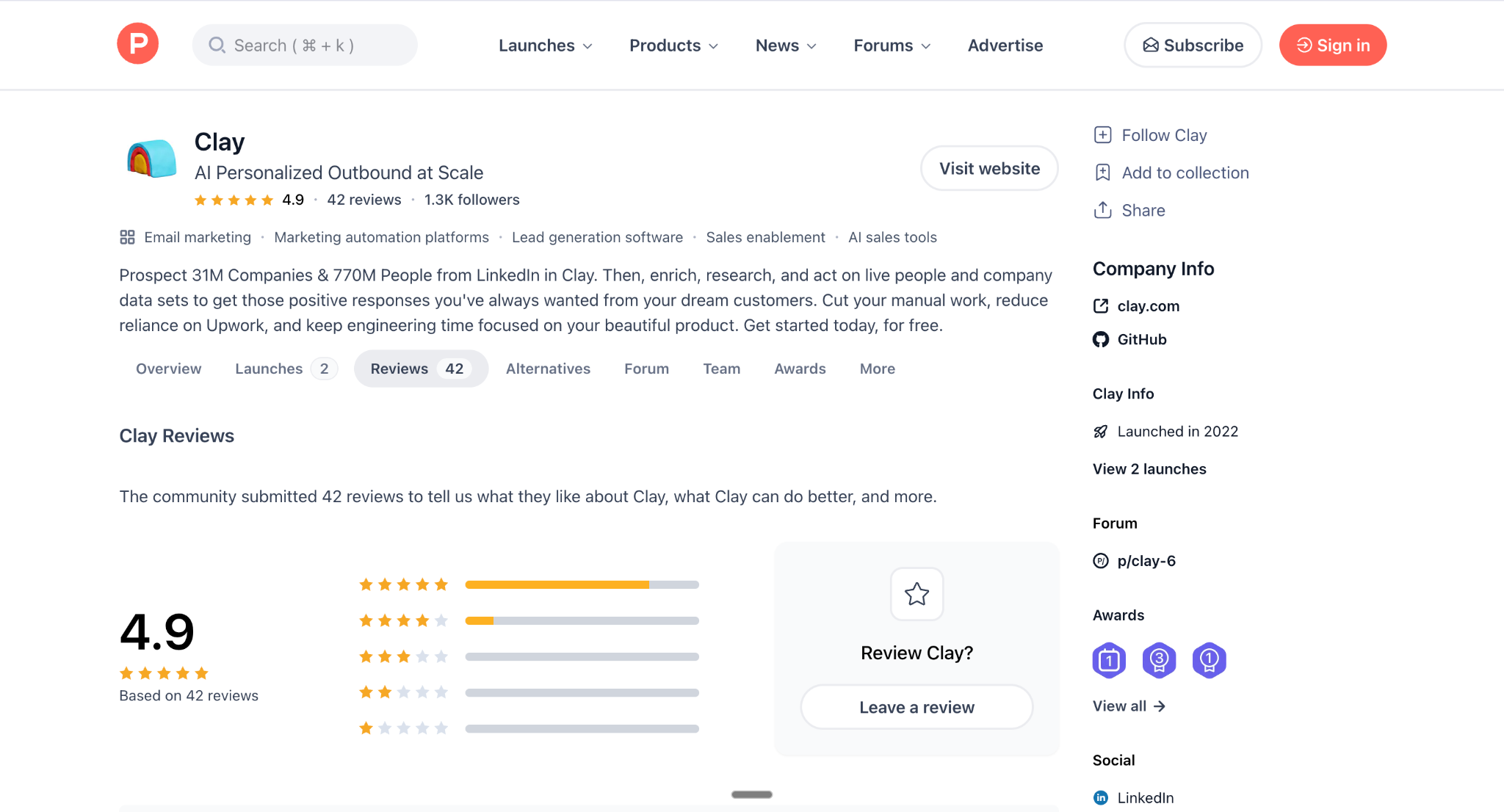
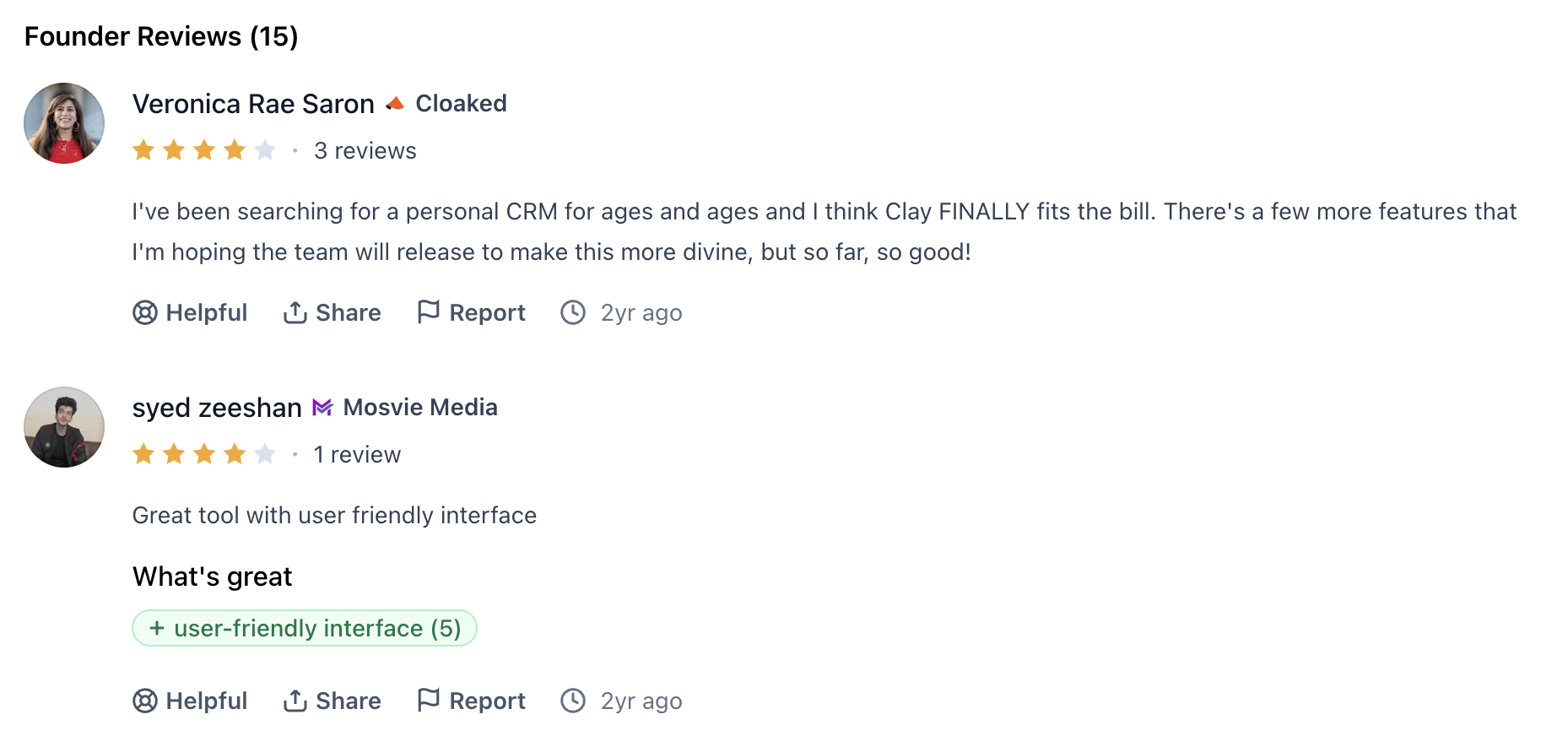
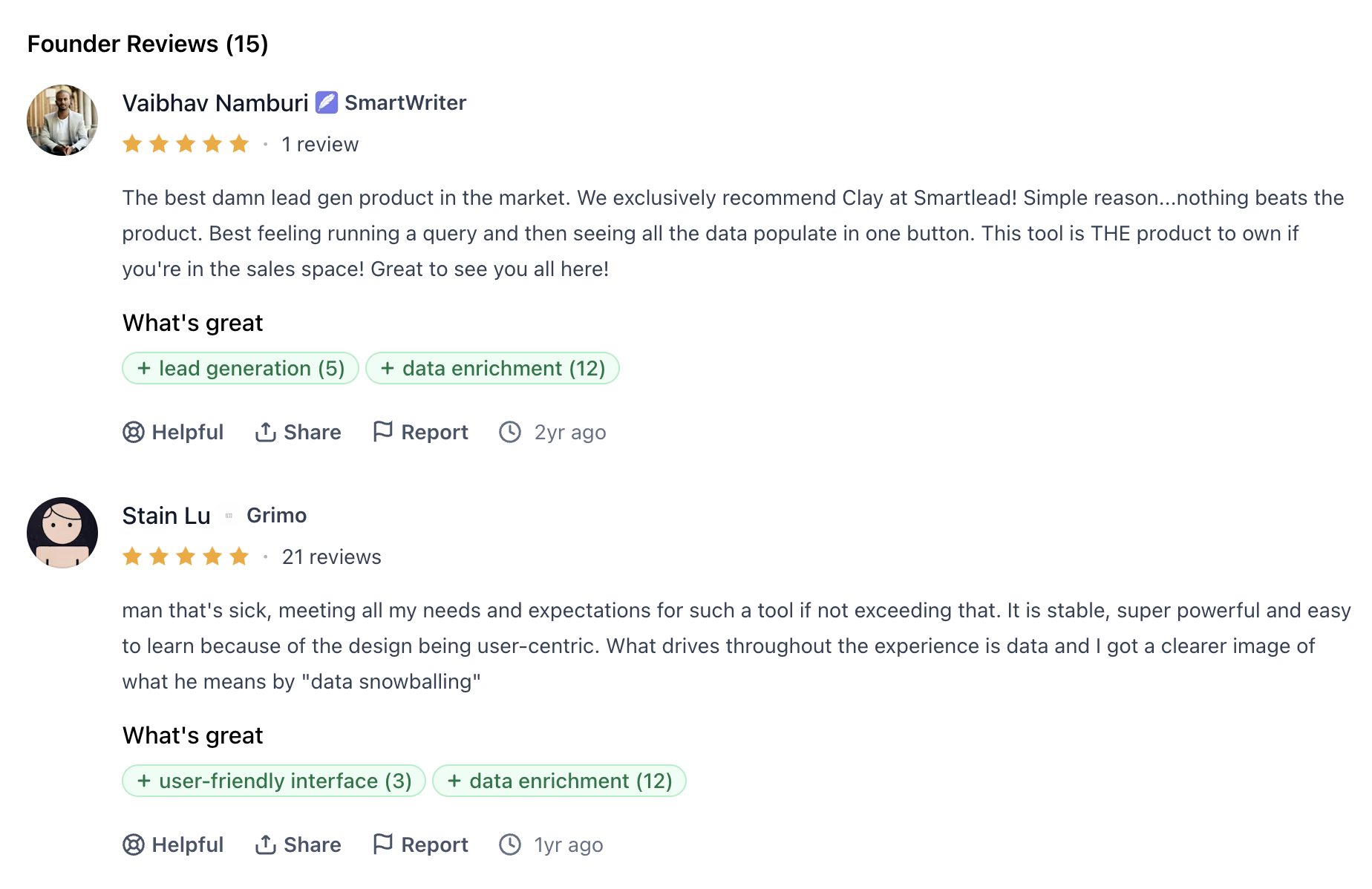
“Best lead gen tool in the market.”
“Super powerful, easy to use once you understand it.”
“Data enrichment is unmatched.”
Consensus: Clay is incredible if you have volume + clear GTM workflows. If you’re testing outbound casually… you might burn more credits than you expect.
This aligns perfectly with your ICP:
Clay is perfect for:
B2B SaaS companies
Seed → Series C teams
5–100 sales reps
US-based RevOps, Sales, Growth
Teams doing 10,000–100,000+ monthly sends
Outbound-first teams building complex workflows
But it’s not ideal for:
Solopreneurs
Agencies running low-volume campaigns
Non-technical founders
Teams who only need simple lists or basic enrichment
How Much Is Clay Really Worth? ROI Framing for B2B SaaS
Clay looks expensive at first glance… until you compare it to the alternative.
Without Clay, you'd pay for:
A VA ($2k–$4k/mo)
LinkedIn scrapers ($100–$300/mo)
Email enrichment providers ($300–$900/mo)
Intent data platforms ($500–$2,500/mo)
Data cleaning tools ($100–$400/mo)
List-building tools ($150–$500/mo)
Manual labor and human research time
With Clay, you consolidate all of that into one credit-based system.
For most US B2B SaaS teams:
→ Clay replaces 4–7 tools + 1–2 part-time VAs
→ Saves 20–60 hours/month in research + enrichment
Even at $700–$1500/month, Clay can easily pay for itself.
If you want to estimate your spend, Clay even offers a credit calculator to model monthly cost.
Clay Pros & Cons
Clay Pros – Where Clay AI Shines | Clay Cons – Limitations & Common Complaints |
|---|---|
Massive data & enrichment coverage | |
150+ data providers, AI agents, and Navigator-style web scraping. Replaces 4–7 enrichment tools. | Steep learning curve |
Most common G2 + Reddit complaint. Not plug-and-play; requires RevOps or technical thinking. | |
Workflows > point solutions | |
Automates scrapers, enrichment apps, LinkedIn research, and repetitive RevOps tasks. | Credit-based pricing complexity |
Teams often overspend if they don’t track credits carefully. Overages escalate fast. | |
Advanced personalization at scale | |
Claygent + AI email generation create hyper-personalized intros, summaries, and insights. | Feels like “spaghetti of tools” without strategy |
Teams lacking GTM clarity say Clay turns into a complex spreadsheet with integrations. | |
RevOps superpowers | |
CRM hygiene, routing, scoring, TAM sourcing, ABM segmentation — heavily praised in reviews. | Not a CRM or sales engagement tool |
You still need: | |
• A sending tool (Smartlead, Instantly, Apollo, Salesforge) | |
• A call assistant (SalesEcho, Gong) | |
• Strong outbound copy | |
Enterprise-grade security | |
SOC 2 Type II, GDPR, CCPA, ISO 27001 — required for mid-market & enterprise SaaS. | “Spray-and-Clay” risk |
Without guardrails, teams enrich too broadly and waste credits without meaningful pipeline impact. |
Clay AI vs SalesEcho: Which Tool Fits Your Sales Stack?
Clay is incredible for data, enrichment, and outbound operations. SalesEcho is the real-time AI engine that actually helps your reps win the conversation.
Here’s the clearest way to understand how they differ.
Clay vs SalesEcho: Quick Comparison Table
Feature / Category | Clay AI | SalesEcho | Traditional CRM | Conversation Intelligence (Gong / Chorus) |
|---|---|---|---|---|
Primary Focus | Data, enrichment, outbound workflows | Real-time call coaching + pre-call prep + post-call analytics | Contact storage & pipeline tracking | Call recording & analysis (after the call) |
Best For | Teams scaling outbound lists & enrichment | Teams that want AI support during live calls | Organizing deals & activities | Reviewing calls and coaching after the fact |
Data Layer | 150+ data providers, scrapers, AI agents | AI research on your own docs + CRM + call context | Manual data entry + integrations | Voice-to-text + meeting recording |
Live Call Coaching | ❌ None | ✅ Yes — real-time objection handling, talk-track suggestions, product answers | ❌ No | ❌ No (post-call only) |
Post-Call Analytics | Basic workflow logs | Advanced — call summaries, insights, action items | Notes & manual logging | Deep insights, scoring, talk ratios (after the call) |
Pricing Posture | Mid–high (credit-based) | Affordable SaaS with transparent tiers | Varies (usually mid-high) | Very high (enterprise-level) |
Learning Curve | Steep for non-technical teams | Low — built for reps, plug-and-play | Low–medium | Medium |
Simple takeaway:
Clay = outbound engine.
SalesEcho = live-call performance engine.
They don’t replace each other, they complete each other.
When Clay Wins (and SalesEcho Complements It)
Clay is the hero when you need to:
Build huge, accurate US B2B SaaS lead lists
Enrich leads across multiple data providers
Deduplicate, score, and route accounts
Automate workflows your RevOps team normally handles
Power large outbound motions (20k+ monthly sends)
Where SalesEcho fits in beautifully: Clay creates the pipeline.
SalesEcho helps your reps convert that pipeline.
Example flow:
Clay → finds Head of Marketing at 1,000 companies
Clay → enriches email, LinkedIn URL, tech stack
Outbound tool → books meetings
SalesEcho joins the meeting:
Answers suggested from your docs
Notes + summaries generated
Follow-up drafted instantly
Clay fills the top … SalesEcho helps you win the bottom.
When SalesEcho Wins (and Clay Becomes Optional)
Some teams don’t need massive enrichment. They need better conversations.
SalesEcho wins when your pain points are:
Reps freezing mid-call
Weak objection handling
Inconsistent demos
AEs forgetting product details
No live guidance
Long ramp time for new hires
For these teams, real-time AI coaching delivers ROI faster than additional enrichment layers:
Close rate improves immediately
Reps sound sharper from day one
Meetings convert at a higher rate
You recover lost deals from poor call handling
If you’re doing high-value calls, even with small lists, SalesEcho outperforms Clay in ROI.
Clay + SalesEcho Together: The Full-Funnel AI GTM Stack
Here’s the winning combo used by modern US B2B SaaS teams:
1. Clay (Top + Mid Funnel)
Build ICP lists
Enrich people & companies
Score and route accounts
Generate personalization
2. Sequencer (Outbound Tool)
Smartlead, Instantly, Salesforge, Apollo
Deliver your outbound sequences
3. SalesEcho (Mid + Bottom Funnel)
Joins every Zoom/Meet/Teams call
Preps your reps before meetings
Coaches them in real time
Surfaces product answers
Handles objections
Captures call notes, action items & follow-up
Syncs insights back to your CRM
4. CRM
Pipeline tracking
Deal management
Activity syncing
5. Clay (Optional Loop Back)
Use SalesEcho call insights to update scoring
Trigger signals
Refresh routing logic
This creates a self-learning GTM system.
Clay AI Use Cases Table
Team / Persona | Primary Use Cases | What Clay Actually Helps You Do | Typical Outcome |
|---|---|---|---|
RevOps | CRM enrichment, hygiene, scoring, routing | Enrich opportunities with funding/tech stack, clean duplicates, auto-update fields in Salesforce/HubSpot, run waterfall enrichment | Cleaner CRM, better routing, accurate scoring, fewer manual tasks |
SDRs / BDRs | B2B Lead generation, prospecting, signal-based triggers | Build ICP lists, enrich leads, use job-change/funding signals, prioritize hot accounts, push to outbound sequencers | Higher reply rates, more meetings booked, faster prospecting |
AEs | Call prep, account research, ABM alignment | Identify buying committees, enrich target accounts, prep high-priority call lists for SalesEcho coaching | Better call readiness, stronger demos, improved deal progression |
Growth Marketing | ABM, retargeting, multi-channel orchestration | Build Audiences, segment accounts by intent (page visits, hiring, funding), send to ads/outbound tools | Lower CAC, smarter targeting, tighter ad → outbound → sales alignment |
Founders / Solo GTM | All-in-one prospecting + enrichment | Build lists, research accounts, enrich with AI agents (Claygent), trigger small campaigns | Saves hours of manual research and replaces multiple tools |
US/EU Compliance-Focused Teams | Privacy-first data sourcing & governance | Use compliant data providers, integrate CRM securely, leverage SOC 2 Type II + ISO 27001 stack | Safe outbound operations that pass compliance reviews |
Clay Alternatives: What to Consider If Clay Isn’t the Right Fit
Not every team needs Clay’s depth, workflows, or engineering-style setup. If you’re running smaller campaigns, don’t have RevOps support, or simply want something lighter, here are the alternatives worth looking at — along with when they actually make more sense.
Clay vs GoCustomer, Salesforge, Breakcold, and Others
Here’s a quick breakdown of how the most common Clay alternatives position themselves:
GoCustomer – AI Personalization + Deliverability
GoCustomer focuses on hyper-personalized outreach and email deliverability, not complex enrichment.
It excels at generating personalized first lines, handling warm-up, and improving inbox placement.
Choose GoCustomer if:
You mainly need personalization
You want better deliverability
You’re not doing heavy enrichment or multi-step workflows
Salesforge – AI Sequences & Outbound Automation
Salesforge is an AI-powered outbound platform that offers sending, deliverability, and AI-written sequences inside one place.
It doesn’t replace Clay’s waterfall enrichment, but it simplifies outreach dramatically.
Choose Salesforge if:
You want a sending tool + personalization in one
You don’t need 150+ data sources
You want fast setup with minimal RevOps
Breakcold – Lightweight CRM + Outreach
Breakcold markets itself as a simpler “CRM-meets-outbound” platform.
It offers social selling workflows, inbox sync, and basic enrichment.
Choose Breakcold if:
Your TAM is small
You need simple outreach with CRM-like tracking
You don’t want to manage Clay-style workflows or credits
Other Point Solutions People Compare
These tools often come up in Clay alternative threads:
Apollo – cheap data + basic enrichment + sending
ZoomInfo – enterprise data + compliance, but expensive
Clearbit – firmographic enrichment, clean data
Lusha – quick direct dials & emails
Outscrapper – Google Maps scraping alternative
Reply / Instantly / Smartlead – sending tools, not enrichment tools
They cover very specific slices of what Clay does — but none bundle everything into one workflow engine the way Clay does.
When a Lighter “Clay Software” Alternative Makes More Sense
Clay is powerful, but it’s not always the best choice. A lighter option often makes more sense if your team:
Sends under 5k–10k emails per month
Has no dedicated RevOps, engineer, or workflow owner
Works with a tiny TAM
Only needs basic data (emails + titles + firmographic info)
Does not need custom workflows, waterfall enrichment, or complex scoring
In these cases, the simpler the tool, the faster the ROI.
Good choices: Apollo, Clearbit, GoCustomer, Salesforge, Instantly, Breakcold.
Clay is amazing — but it’s a lot of muscle for teams who really just need clean lists and decent outreach.
When You Should Skip Clay and Go Straight to an AI Sales Assistant
This is where the conversation shifts.
Many teams think they need “more enrichment,” but their real problem is:
Reps freezing on calls
Weak objection handling
Poor live discovery
Demos not converting
No real-time coaching
AEs not prepared before meetings
In these cases, Clay won’t fix the issue at all — because the problem isn’t the data layer, it’s the conversation layer.
This is when a live AI sales assistant (like SalesEcho or Gong) becomes the higher-ROI investment:
Also Visit: Best AI Sales Call Assistants
Why skip Clay in this scenario?
Because even the best enrichment in the world won’t help if:
Reps don’t know what to say
They can’t handle objections
They lose deals during the live conversation
What tools solve this instead?
SalesEcho – real-time call assistant that prepares reps before meetings, coaches them during Zoom/Meet/Teams calls, and provides post-call insights
Gong / Chorus – post-call analytics (not real-time coaching)
Aircover – buyer enablement during calls
If your biggest pain is the conversation, not the prospecting, start with the tool that actually fixes that.
Also Visit: Otter AI Review
FAQs
Is there a cheaper alternative to Clay?
Yes — Apollo, Salesforge, Breakcold, and GoCustomer are all cheaper and simpler for teams that don’t need Clay-level enrichment.
What is the closest alternative to Clay’s enrichment features?
Clearbit + Apollo + Outscrapper can cover parts, but no single tool replicates Clay’s waterfall workflow.
Which tool is best for personalization?
GoCustomer and Salesforge are stronger for AI-based email personalization than Clay alone.
When should I choose SalesEcho instead of Clay?
If your main problem is rep performance on calls, not data enrichment, you’ll get much faster ROI from real-time call coaching.
Can I use Clay and SalesEcho together?
Yes — and this is actually the best “full-funnel AI” setup:
Clay for prospecting → Your sending tool → SalesEcho for the call → CRM sync.